IPTV Dual-Audio Feature: Watch Movies in Original Language
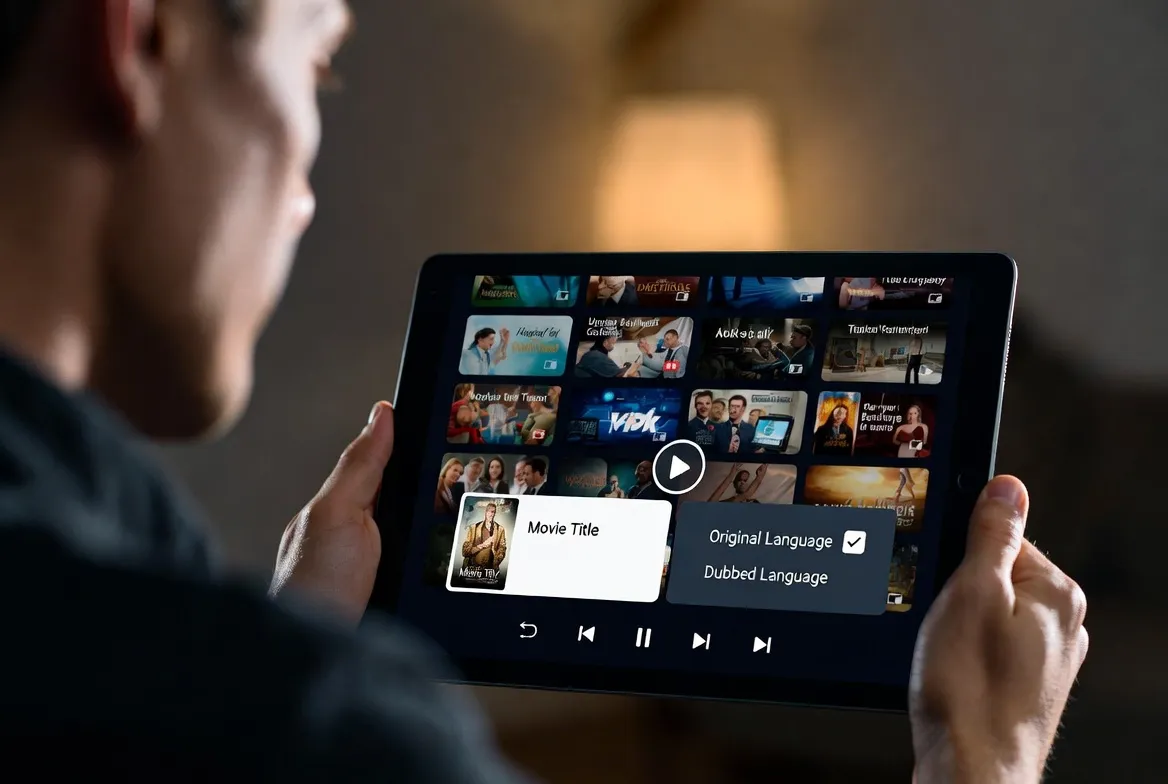
Stop watching dubbed movies. IPTV's dual-audio feature lets you switch between original language and dubbed audio mid-stream with a single click. Watch Parasite in Korean, Money Heist in Spanish, and Lupin in French—the way they were meant to be heard. Available across 30+ languages on StreamTV.
What Is Dual-Audio on IPTV?
Dual-audio (or multi-audio) means a single stream carries multiple audio tracks in different languages. While watching a movie on an IPTV channel, you can switch from the English dub to the original Korean, Spanish, or French audio—instantly, without buffering or restarting.
This isn't new technology—DVD and Blu-ray had it for decades. But cable TV rarely offered it. IPTV brings multi-audio back in a big way, with channels from 50+ countries offering content in original language plus one or more dubbed tracks. Combined with subtitle support, it's the ultimate multilingual viewing experience.
Content with Dual-Audio Available
| Content Type | Original | Dubbed Options | Channels |
|---|---|---|---|
| Hollywood Blockbusters | English | Spanish, French, German, Italian, Portuguese, Hindi | HBO, Cinemax, Star Movies |
| Korean Dramas (K-Drama) | Korean | English, Japanese, Thai | KBS, tvN, JTBC, SBS |
| Japanese Anime | Japanese | English (sub/dub) | Animax, TV Tokyo, Crunchyroll |
| Bollywood Films | Hindi | English, Tamil, Telugu | Zee Cinema, Star Gold, Colors |
| Spanish Telenovelas | Spanish | English, Portuguese | Televisa, Telemundo, Caracol |
| French Cinema | French | English | Canal+, France 2, Arte |
| Turkish Series (Dizi) | Turkish | Arabic, Spanish, English | TRT, Star TV, Show TV |
| German Films | German | English | ZDF, ARD, ProSieben |
Who Benefits from Dual-Audio IPTV?
Cinephiles & Film Buffs
Watch Parasite in Korean, Amélie in French, and Roma in Spanish—the way directors intended. Dubbing loses nuance; original audio preserves artistic integrity.
Authentic cinematic experienceLanguage Learners
Immerse yourself in your target language with real content. Switch between original audio and your native language to compare. Add subtitles for reading practice.
Natural language immersionMultilingual Families
Parents watch in one language, kids in another. Switch audio tracks based on who's watching—no need for separate channels or accounts.
One stream, multiple languagesExpats & Immigrants
Watch your home country's content in your native language while living abroad. Then switch to local language programming to integrate.
Stay connected to homeHow to Switch Audio Tracks: App-by-App Guide
Here's exactly how to access dual-audio in every major IPTV app:
TiviMate
(Android TV / Fire TV)Best interfaceDuring playback → Press ⚙️ icon → Audio Track → Select language
IPTVX
(Apple TV)Cleanest UISwipe down during playback → Audio → Choose track
IPTV Smarters Pro
(All platforms)Most compatibleTap screen → Settings icon → Audio → Select language
Perfect Player
(Android)Power usersLong-press OK → Audio → Choose from available tracks
GSE Smart IPTV
(iOS / Android)Cross-platformTap player controls → Audio icon → Select track
OTT Navigator
(Android TV)Feature-richPress center button → Audio settings → Choose language
Quick Tip
If you don't see multiple audio tracks, the channel or content may only broadcast in one language. Try the same movie on a different international channel—European channels (Canal+, ZDF, RAI) often carry more audio track options than US channels.
6 Pro Tips for Multi-Language Streaming
Set Default Audio Language
Most IPTV apps let you set a preferred audio language in settings. Once configured, the app automatically selects your language when available—no manual switching needed.
Check Before You Watch
Not all channels offer multi-audio. Look for the 'Multi' or dual-language icon in the EPG. Premium movie channels (HBO, Canal+, Star) are most likely to have multiple audio tracks.
Combine Audio + Subtitles
The magic combo: original audio + native language subtitles. You hear the authentic performance while reading translations. Best of both worlds for foreign films.
Use Passthrough for Surround Sound
When switching audio tracks, ensure your IPTV app is set to 'Audio Passthrough' mode. This preserves Dolby Digital and DTS surround sound on tracks that support it.
Test Audio Tracks in VOD
VOD content typically has more audio track options than live TV. StreamTV's 50,000+ VOD library includes thousands of titles with dual or triple audio tracks.
Report Missing Tracks
If a channel should have dual-audio but only shows one track, try switching to a different stream URL for that channel—some feeds carry more audio tracks than others.
IPTV vs Netflix/Disney+ for Multi-Language
| Feature | StreamTV IPTV | Netflix / Disney+ |
|---|---|---|
| Audio Languages | 30+ (channel dependent) | 5-15 per title |
| Live TV Multi-Audio | ✅ Yes, during live broadcasts | ❌ No live TV |
| Subtitle Languages | 20+ available | 10-30 per title |
| Content Library | 50,000+ VOD + 17,000 channels | 5,000-8,000 titles |
| International Channels | 3,000+ from 50 countries | None |
| Monthly Cost | $11.88 | $15.49-22.99 |
| Original Language Content | Direct from source country | Licensed, may vary by region |
Voice Search: Find This Guide
Ask your smart device:
- "Hey Google, how to change audio language on IPTV"
- "Alexa, IPTV dual audio feature explained"
- "Hey Siri, watch movies in original language on IPTV"
- "OK Google, IPTV multi-language streaming service"
- "Alexa, switch audio tracks on Fire TV IPTV"
Frequently Asked Questions
Does IPTV support dual-audio or multi-language tracks?
Yes! Most IPTV services including StreamTV support multiple audio tracks per channel and VOD. Switch between original and dubbed audio mid-stream with a single click.
How do I change the audio language on IPTV?
During playback, press the settings/gear icon in your IPTV app. Select 'Audio Track' and choose your language. The switch is instant—no restart needed.
Can I watch dubbed and original movies on IPTV?
Yes! Many channels broadcast with multiple audio tracks. StreamTV includes channels from 50+ countries, many offering dual or triple audio options for popular content.
What languages are available on IPTV audio tracks?
30+ languages including English, Spanish, French, German, Italian, Portuguese, Arabic, Hindi, Chinese, Japanese, Korean, Turkish, Russian, and more.
Do IPTV subtitles work with dual audio?
Yes! Combine audio tracks with subtitle tracks independently. Watch French film in French audio with English subtitles—both adjustable during playback.
Which IPTV apps support multi-audio selection?
TiviMate, IPTV Smarters Pro, IPTVX, Perfect Player, GSE Smart IPTV, and OTT Navigator all support multi-audio track selection.
Experience Cinema the Way It Was Meant to Be
30+ languages. Instant audio switching. Original language content from 50+ countries. Subtitles in every language. The ultimate multilingual streaming experience.
50,000+ VOD titles • 30+ audio languages • Instant switching
Final Thoughts
Dubbed movies lose the soul of the original performance. IPTV's dual-audio feature gives you the power to hear every film, series, and broadcast exactly as the creators intended—while still having dubbed options when you want a more relaxed viewing experience.
Ready for authentic multilingual streaming? Subscribe to StreamTV today and unlock 30+ audio languages, 50,000+ VOD titles, and channels from 50+ countries. Cinema without borders starts at $11.88/month.