IPTV EPG Guide: Never Miss a Show with Electronic Program Guides
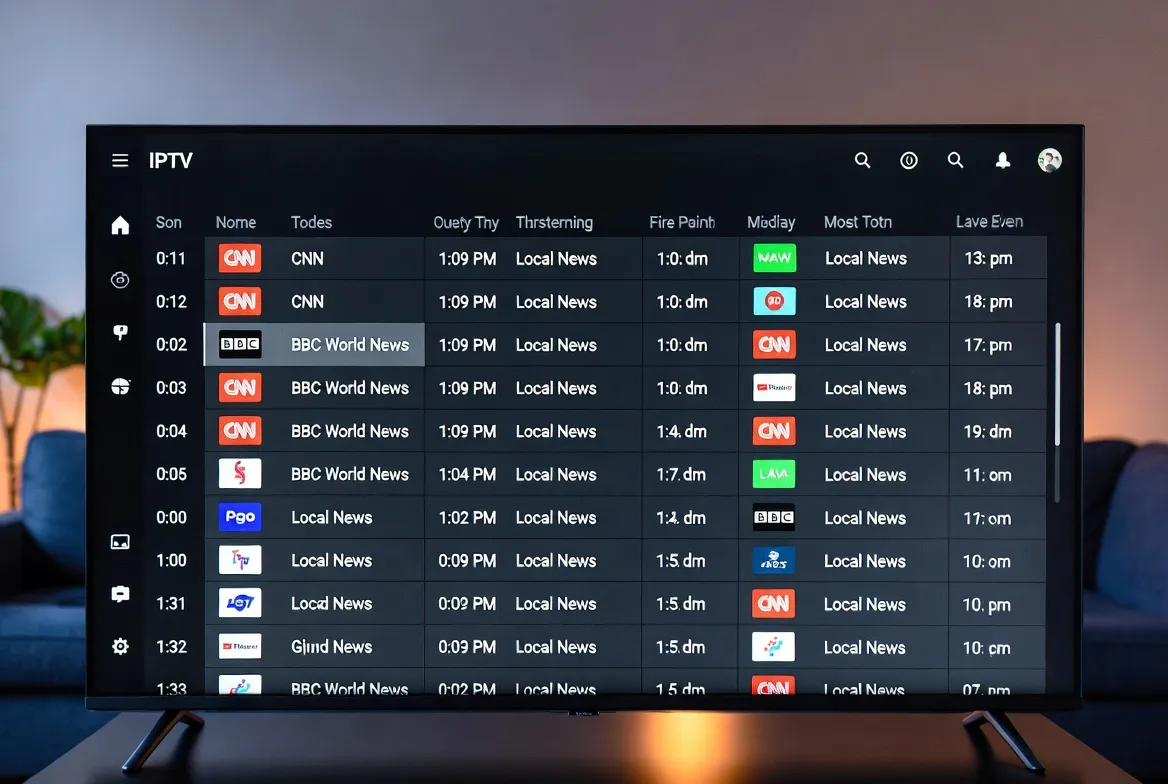
With 18,000+ channels at your fingertips, finding what to watch could feel overwhelming — but it doesn't have to. That's where the EPG (Electronic Program Guide) comes in. Think of it as your IPTV's smart TV guide: a visual, searchable schedule that shows you what's on now, what's coming next, and what's airing all week. In this guide, we'll show you how StreamTV's EPG works, how to customize it, and why it's the feature that makes IPTV feel like a premium cable experience — at a fraction of the cost.
What Is an EPG and Why Does It Matter for IPTV?
An Electronic Program Guide (EPG) is a digital TV schedule built directly into your IPTV app. It replaces the old paper TV guides and basic cable channel listings with a modern, interactive interface:
Visual Channel Grid
See all channels in a grid layout with current and upcoming programs displayed in time slots — just like premium cable boxes, but better.
7-Day Schedule
Browse programming up to 7 days in advance. Plan your viewing week, set reminders, and never miss a premiere.
Program Details
Click any show to see title, description, genre, rating, episode info, and air time. Know exactly what you're watching before you tune in.
Channel Logos & Categories
Visual channel logos make browsing intuitive. Filter by category — Sports, Movies, News, Kids, International — to find what you want fast.
StreamTV EPG Features: A Complete Breakdown
StreamTV's EPG is designed for speed, accuracy, and ease of use. Here's every feature at your disposal:
Full Grid View
The classic TV guide layout. Channels listed vertically, time slots horizontally. Scroll through hours of programming at a glance across all 18,000+ channels.
Smart Search
Search by show name, actor, genre, or keyword. Looking for 'Champions League'? The EPG instantly finds every channel airing it and when.
Favorites & Custom Lists
Mark your go-to channels as favorites. Create custom channel lists like 'Sports,' 'Kids,' or 'Movie Night' for one-tap access to your preferred lineup.
Reminders & Alerts
Set reminders for upcoming shows. Get notified 5 minutes before a program starts so you never miss kickoff, a season premiere, or a live event.
Now & Next Bar
A quick-view bar showing what's currently playing and what's up next on every channel — without opening the full grid.
Multi-Day Browse
Look ahead up to 7 days. Planning your weekend viewing? Browse Saturday and Sunday schedules in advance.
Genre Filtering
Filter the entire EPG by genre: Sports, Movies, News, Documentary, Kids, Music, Lifestyle, and more. Cut through 18,000 channels instantly.
Catch-Up Integration
Missed a show that already aired? The EPG shows catch-up availability. Tap any past program to watch it on demand if catch-up is supported.
📺 18,000+ Channels, Perfectly Organized
StreamTV's smart EPG makes finding your favorite content effortless. Try it free today.
See IPTV PlansIPTV with EPG vs Without EPG: Why It Makes All the Difference
| Experience | With EPG ✅ | Without EPG ❌ |
|---|---|---|
| Finding a Show | Search by name, browse by time/genre | Scroll through endless channel list blindly |
| Knowing What's On | See current & upcoming programs at a glance | Tune in and hope for the best |
| Planning Ahead | Browse 7-day schedule, set reminders | No way to know future programming |
| Sports Events | Find exact kickoff times and channels instantly | Google it, then manually find the channel |
| Channel Navigation | Organized by category with logos | Numbered list with no context |
| Missed a Show | Catch-up shows visible in EPG timeline | No record of what aired |
| Overall Feel | Premium cable experience | Basic, frustrating channel surfing |
How to Set Up & Customize Your IPTV EPG
Open Your IPTV App
Launch StreamTV on your device (Smart TV, Fire Stick, Android Box, phone, etc.). The EPG loads automatically with your subscription.
Access the EPG
Tap the 'Guide' or 'EPG' button — usually on the main menu or remote control. The full channel grid appears instantly.
Set Your Timezone
Go to Settings → EPG → Timezone. Select your local timezone so all program times display correctly for your location.
Create Favorites
Long-press any channel to add it to your Favorites list. Create multiple lists — 'Sports,' 'News,' 'Kids' — for quick access.
Set Reminders
Browse upcoming shows and tap 'Remind Me' on any program. You'll get a notification before it starts.
Customize the View
Switch between grid view, list view, or now-playing view depending on your preference. Adjust how many hours are visible at once.
Best IPTV Players with Built-In EPG Support
StreamTV works with all major IPTV players. Here are the best apps for EPG experience by device:
| Device | Recommended App | EPG Quality |
|---|---|---|
| Fire Stick / Fire TV | TiviMate, IPTV Smarters Pro | ⭐⭐⭐⭐⭐ |
| Android Box / TV | TiviMate, Perfect Player | ⭐⭐⭐⭐⭐ |
| Samsung Smart TV | IPTV Smarters, Smart IPTV | ⭐⭐⭐⭐ |
| LG Smart TV | IPTV Smarters, SS IPTV | ⭐⭐⭐⭐ |
| iPhone / iPad | IPTV Smarters, GSE Smart IPTV | ⭐⭐⭐⭐ |
| Android Phone / Tablet | TiviMate, IPTV Smarters Pro | ⭐⭐⭐⭐⭐ |
| Windows / Mac | VLC, IPTV Smarters | ⭐⭐⭐ |
| MAG Box | Built-in Portal | ⭐⭐⭐⭐ |
5 Pro Tips to Get the Most from Your IPTV EPG
Use Genre Filters for Movie Night
Instead of scrolling through thousands of channels, filter by 'Movies' in the EPG. You'll instantly see every movie channel with what's playing now and next.
Set Reminders for Live Sports
Browse the EPG's sports section at the start of each week. Set reminders for every game you want to watch — Premier League, NFL, NBA, UFC — and never miss kickoff.
Create a 'Top 20' Favorites List
Narrow your 18,000+ channels to the 20 you watch most. Your favorites list becomes your personal mini-guide that loads in under a second.
Use Search for Specific Shows
Looking for a specific movie or series? Use the EPG's search function to find it across all channels — it'll show you every upcoming airing.
Check Catch-Up for Missed Content
If a show already aired, the EPG timeline shows catch-up availability. Tap past programs to watch them on demand — no DVR needed.
Frequently Asked Questions About IPTV EPG
What is an EPG in IPTV?
An EPG (Electronic Program Guide) is a digital TV schedule integrated into your IPTV app. It shows what's currently airing, upcoming programs, and lets you search, filter, and set reminders across all channels.
Does StreamTV include EPG with the subscription?
Yes. StreamTV's EPG is included free with every plan. It covers all 18,000+ channels with accurate program listings, channel logos, and 7-day schedules.
Why is my EPG not showing program info?
Make sure your IPTV app has the EPG URL configured correctly (StreamTV provides this automatically). Also check your timezone settings and refresh the EPG data in your app's settings.
Can I customize which channels appear in the EPG?
Yes. Use favorites and custom channel lists to create a personalized EPG view showing only the channels you care about.
Does the EPG work on all devices?
Yes. The EPG works on every device StreamTV supports — Smart TVs, Fire Stick, Roku, Android Box, phones, tablets, and PCs. The interface adapts to each screen size.
Can I set reminders for upcoming shows?
Absolutely. Browse upcoming programs in the EPG and tap 'Remind Me.' You'll receive a notification before the show starts so you never miss it.
📋 Never Miss a Show Again
18,000+ channels with a smart EPG. Search, filter, remind, and watch — all from $11.88/month.
Join 2M+ subscribers who use StreamTV's EPG to navigate their entertainment.