IPTV on iPhone & iPad: The Ultimate iOS Streaming Setup Guide 2026
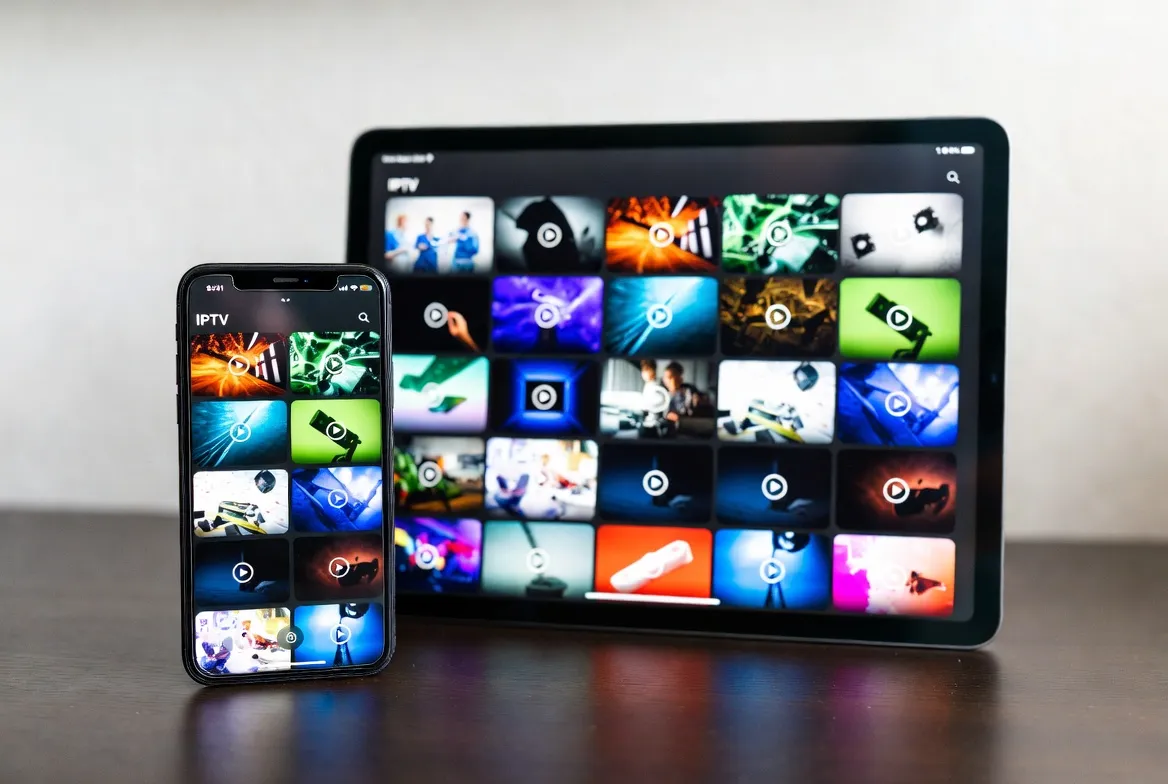
Your iPhone or iPad is already the most powerful streaming device you own — you just need the right IPTV app. In this guide, we'll show you exactly how to set up IPTV on iOS in under 5 minutes, which apps work best in 2026, and how to stream 18,000+ live channels on your Apple devices for just $11.88/month.
Can You Use IPTV on iPhone and iPad?
Yes, absolutely. While Apple doesn't have native IPTV support, there are several excellent IPTV player apps available on the App Store that work perfectly with services like StreamTV. You can watch live TV, use the electronic program guide (EPG), access catch-up replay, and even AirPlay to your Apple TV or big screen.
✅ What You Need
- iPhone (any model running iOS 15+) or iPad
- A stable internet connection (10+ Mbps for HD, Wi-Fi or cellular)
- An IPTV player app (free options available)
- StreamTV login credentials (get them free with a 24-hour trial)
Best IPTV Apps for iPhone & iPad in 2026
Not all IPTV apps are created equal. Here are the top-rated iOS IPTV players, ranked by features, reliability, and ease of use:
🥇 IPTV Smarters Pro
Free (with premium option)⭐ 4.6/5 on App Store — Best overall IPTV app for iPhone & iPad
🥈 GSE Smart IPTV
Free (with in-app purchases)⭐ 4.4/5 on App Store — Best free option with full functionality
🥉 IPTVX
$11.88 one-time⭐ 4.5/5 on App Store — Best native Apple experience
4. Xtream IPTV Player
Free⭐ 4.3/5 on App Store — Best for beginners who want simplicity
5. VLC for Mobile
Free & Open Source⭐ 4.6/5 on App Store — Best for tech-savvy users who prefer open-source
📱 Ready to Stream on Your iPhone?
Get your free StreamTV credentials and start watching 18,000+ channels on iOS in under 5 minutes.
No credit card required • Instant activation via WhatsApp
Step-by-Step: Set Up IPTV Smarters on iPhone/iPad
IPTV Smarters Pro is our recommended app. Here's the complete setup walkthrough:
Download IPTV Smarters Pro
Open the App Store on your iPhone or iPad → Search "IPTV Smarters Pro" → Tap "Get" to download and install.
Open the App & Select Login Method
Launch IPTV Smarters → Select "Login with Xtream Codes API" (this is the easiest method for StreamTV).
Enter Your StreamTV Credentials
Fill in the fields: • Any Name: "StreamTV" • Username: (from your WhatsApp message) • Password: (from your WhatsApp message) • Server URL: (from your WhatsApp message) Tap "Add User".
Browse Channels & Start Watching
You'll see categories: Live TV, Movies, Series, Catch-Up. Tap "Live TV" → Browse by country or category → Tap any channel to play.
Alternative Setup: GSE Smart IPTV on iPhone/iPad
If you prefer GSE Smart IPTV, here's how to set it up:
- 1. Download "GSE Smart IPTV" from the App Store (free)
- 2. Open the app → Tap the hamburger menu (☰) in the top-left
- 3. Select "Xtream Codes API"
- 4. Tap the + icon to add a new playlist
- 5. Enter your StreamTV server URL, username, and password
- 6. Tap "Add" → Your channel list loads automatically
- 7. Browse Live TV channels and tap to play
Pro Tips: Get the Best IPTV Experience on iOS
📺 AirPlay to Your TV
Swipe down to open Control Center → Tap Screen Mirroring → Select your Apple TV or AirPlay-compatible Smart TV. Watch IPTV on your big screen wirelessly.
🖼️ Picture-in-Picture (PiP)
On iPad (and iPhone 14+), use PiP mode to watch live TV while browsing, texting, or working. Supported in IPTVX and IPTV Smarters.
📶 Use Wi-Fi for Best Quality
While IPTV works on cellular data (4G/5G), Wi-Fi gives the most stable HD experience. A 10+ Mbps connection is recommended.
⭐ Favorite Your Channels
Mark your most-watched channels as favorites in any IPTV app. This creates a shortcut list so you don't scroll through 18,000+ channels every time.
🔒 Enable Parental Controls
Both IPTV Smarters and GSE support parental locks. Set a PIN to restrict adult content — perfect for family iPads.
📡 Download for Offline? Not Quite
IPTV is live streaming, so offline downloads aren't available. However, catch-up replay lets you watch missed shows anytime within 7 days.
🔄 Keep Your App Updated
App Store updates often fix bugs and improve streaming performance. Enable auto-updates or check manually for the latest version.
🍎 Turn Your iPhone Into a TV — $11.88/Month
18,000+ live channels, catch-up replay, AirPlay support. Try free for 24 hours on your iPhone or iPad.
Works on iPhone, iPad & Apple TV via AirPlay
Troubleshooting Common iOS IPTV Issues
❌ App won't load channels
✅ Fix: Double-check your server URL, username, and password. Make sure there are no extra spaces. Try restarting the app.
❌ Buffering or freezing
✅ Fix: Switch to Wi-Fi if on cellular. Close other apps using bandwidth. Try lowering the stream quality in app settings.
❌ No sound on playback
✅ Fix: Check that your iPhone isn't on silent mode (flip the side switch). Also check the in-app volume and Bluetooth connections.
❌ AirPlay not working
✅ Fix: Make sure your iPhone/iPad and Apple TV are on the same Wi-Fi network. Restart both devices. Update to the latest iOS.
❌ EPG (TV Guide) not showing
✅ Fix: Go to app settings → EPG → Refresh/Update. Some apps require an initial EPG download that can take 1–2 minutes.
❌ App crashes on open
✅ Fix: Delete and reinstall the app. Make sure you're running iOS 15 or later. Clear the app cache if the option is available.
How Much Does IPTV on iPhone Cost?
- IPTV App: Free (IPTV Smarters, GSE, VLC) or $11.88 one-time (IPTVX)
- StreamTV Subscription: From $11.88/month (18,000+ channels, catch-up, sports, movies)
- Total Monthly Cost: As low as $11.88/month — vs. $70+ for cable or YouTube TV
💰 Save $700+/year compared to traditional cable — all from your iPhone
Frequently Asked Questions
Is IPTV legal on iPhone?
IPTV technology itself is completely legal. StreamTV is a legitimate IPTV service provider. The apps are available on the official Apple App Store.
Which iPhone models support IPTV?
Any iPhone running iOS 15 or later — that includes iPhone 8 and newer. iPad Air 2 and newer iPads also work perfectly.
Can I watch IPTV on my iPhone without Wi-Fi?
Yes! IPTV works over 4G and 5G cellular data. Be aware that HD streaming uses approximately 1.5–3 GB per hour, so monitor your data usage if you have a limited plan.
Can I cast IPTV from iPhone to my TV?
Yes — use AirPlay to stream to Apple TV or AirPlay-compatible Smart TVs. Some IPTV apps also support Chromecast.
Will IPTV drain my iPhone battery fast?
Video streaming does use battery. For extended viewing, we recommend keeping your iPhone plugged in or using an iPad for longer sessions.
How many channels can I watch on iPhone?
All 18,000+ StreamTV channels are available on iPhone and iPad — the same full channel list as any other device.