IPTV Parental PIN Lock: Channel-Level Blocking for Families
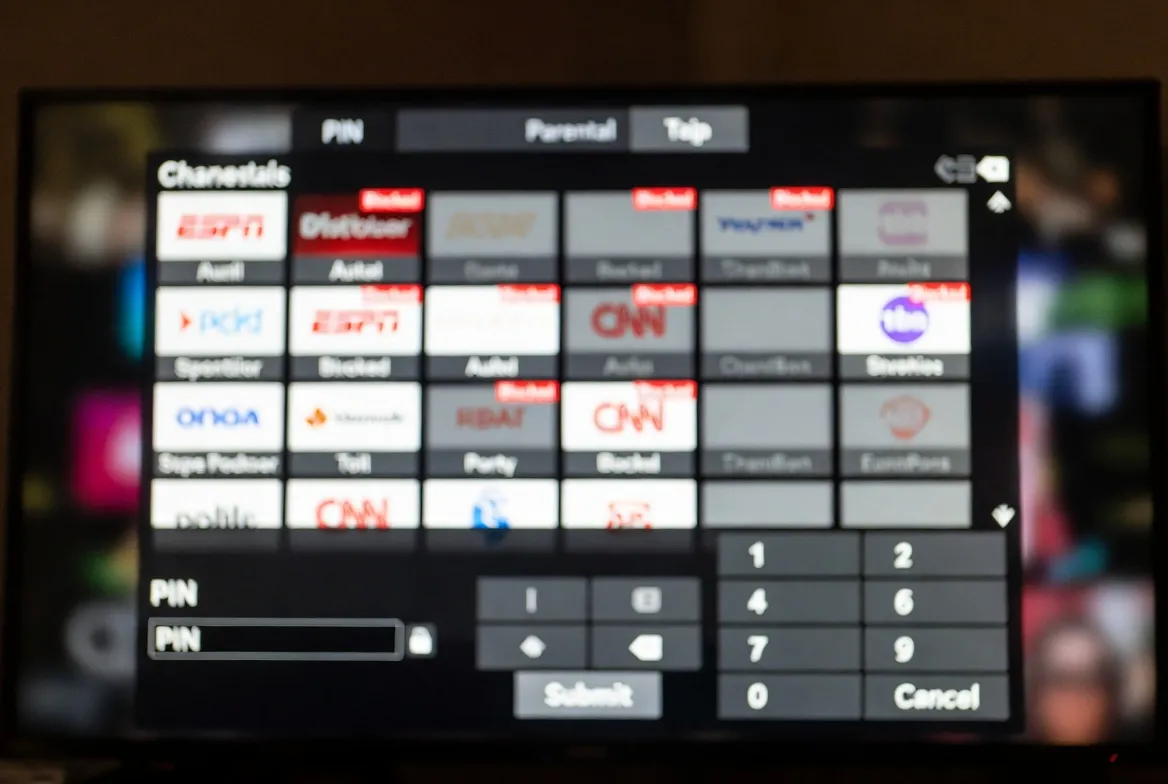
Worried about what your kids stumble onto? Our IPTV parental PIN lock hides any channel or category behind a 4-digit code — and it takes just 2 minutes to set up. All for $11.88/month with 200+ kid-safe channels included.
Family-Safe Streaming, Done Right
Cable's parental controls are clunky and easy to bypass. Our IPTV's PIN system blocks channels at the EPG level — kids literally can't see what's locked. Combined with kids-only profiles and category blocking, it's the safest way to give your family 20,000+ channels without worry.
Channel-Level PIN Lock
Block individual adult, news or violent channels with a 4-digit PIN — kids can't bypass it
Category-Wide Blocking
Hide entire categories like Adult, Movies (R-rated) or Sports betting in one click
Multiple User Profiles
Set kids profiles with restricted channels, parents profile with full access
Hidden EPG Listings
Blocked channels disappear from the program guide — kids never see them
Set Up Parental Lock in 5 Steps
Open IPTV Smarters Pro
Launch your IPTV app on Firestick, Android TV, smart TV or mobile device.
Go to Settings → Parental Control
Find the parental control section in your app's main settings menu.
Set Your 4-Digit PIN
Choose a PIN your kids won't guess — avoid birthdays or 1234.
Select Channels to Block
Tap any channel or category to lock it — instantly hidden from kids.
Enable Profile Switching
Create a 'Kids' profile with auto-applied restrictions for one-tap safety.
Advanced Family Features
Adult Category Auto-Block
All 18+ channels automatically hidden by default until PIN is entered
PIN-Protected Settings
Kids can't disable parental controls without the master PIN
Schedule-Based Locks
Auto-block channels during school hours or after bedtime
VOD Content Filtering
Block movies by rating (R, NC-17) and TV shows by genre
Search History Disabled
Prevent kids from finding blocked content via search
PIN Reset Recovery
Email-based PIN recovery if you forget the master code
Frequently Asked Questions
Does IPTV have parental controls and PIN lock?
Yes — our IPTV includes full parental controls with 4-digit PIN lock at channel and category level. Block adult, R-rated movies, betting channels and more. Works on IPTV Smarters Pro, TiviMate and XCIPTV on every device.
How do I set up a PIN lock on IPTV?
Open IPTV Smarters Pro → Settings → Parental Control → Set 4-digit PIN → Select channels or categories to block. Setup takes 2 minutes. PIN-protect any channel and it disappears from the kids' EPG instantly.
Can kids bypass IPTV parental controls?
No — our PIN-locked channels can't be unlocked, played or even seen in the EPG without entering the master PIN. Settings menu is also PIN-protected to prevent kids from disabling controls.
Can I block adult channels by category on IPTV?
Yes — block entire categories (Adult 18+, R-rated Movies, Sports Betting) with one click. All channels in that category become PIN-protected automatically. Perfect for family households.
Does IPTV support multiple user profiles?
Yes — create separate Kids and Adult profiles with different channel access. Switch profiles with PIN. Kids profile auto-blocks adult content; adult profile has full 20,000+ channel access.
Is IPTV safe for families with young kids?
Absolutely — with PIN locks, category blocks and kids profiles, IPTV is safer than cable for families. Plus you get 200+ kids channels: Disney, Nick Jr, Cartoon Network, Boomerang, PBS Kids — all in HD for $11.88/month.
Family-Safe Streaming Starts Here
20,000+ channels with full parental controls for $11.88/month. 24-hour free trial. 200+ kids channels included.