IPTV on PS5 & Xbox: How Gamers Stream Live TV on Their Console
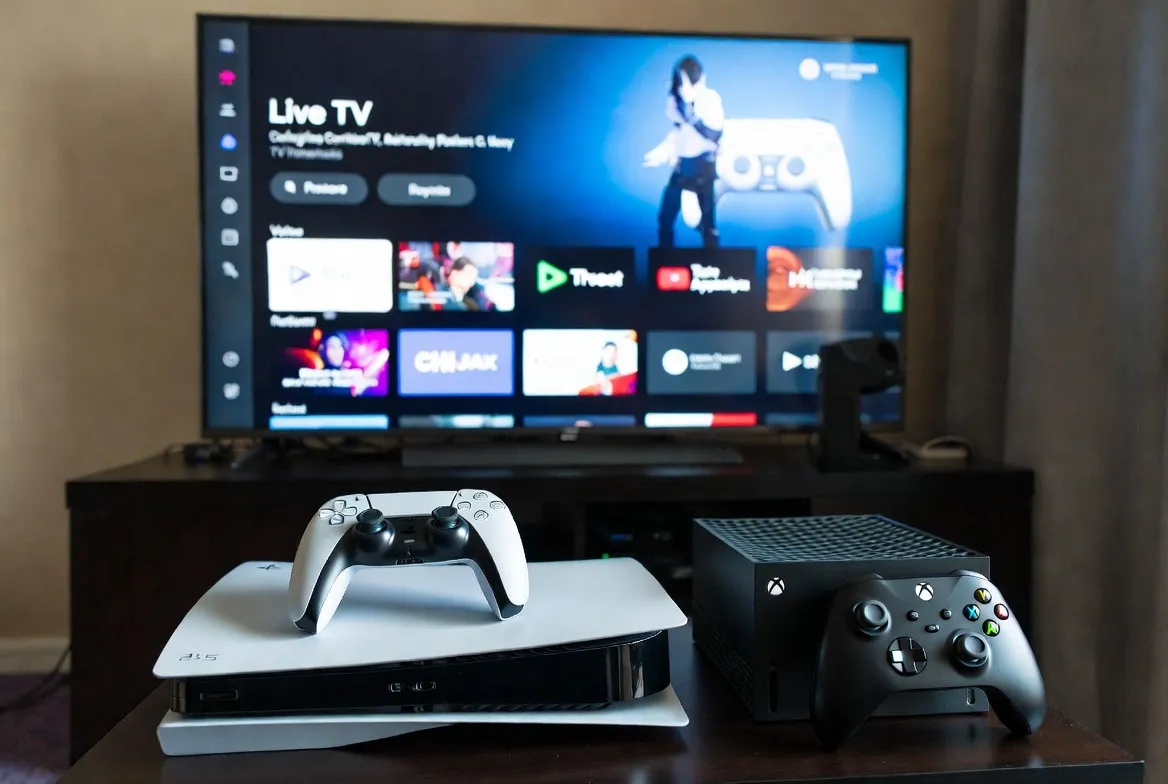
Gaming consoles have evolved into complete entertainment hubs. With IPTV on PS5 and IPTV on Xbox Series X/S, you can now watch live TV, sports, and esports directly on your gaming console—no cable box needed.
Why Gamers Choose IPTV for Console Streaming
Your PlayStation 5 or Xbox isn't just for gaming anymore. It's your all-in-one entertainment center. Here's why gamers are ditching cable and switching to IPTV on their consoles:
- No extra hardware: Stream directly on PS5 or Xbox—no Fire Stick or Android box needed
- Switch instantly: Jump from Call of Duty to Champions League in seconds
- 4K HDR quality: Matches your console's gaming resolution for stunning visuals
- Esports integration: Watch Twitch, YouTube Gaming, and live tournaments seamlessly
- Save $100+/month: Compared to cable TV packages with gaming console bundles
How to Watch IPTV on PS5 (PlayStation 5)
Setting up IPTV on PS5 is straightforward. Sony's console supports media player apps that work perfectly with IPTV services. Here's the step-by-step process:
PS5 IPTV Setup Guide
- Download a media player: Go to PlayStation Store → Apps → Search "VLC Media Player" or "Plex" and install
- Get your IPTV credentials: Sign up for StreamTV IPTV service to receive your M3U playlist URL
- Configure the app: Open VLC → Network Stream → Enter your M3U URL from StreamTV
- Load channels: Wait 30 seconds for the channel list to populate—20,000+ channels ready
- Start watching: Use your DualSense controller to navigate channels just like games
Pro tip: Enable 4K HDR in your PS5 display settings for the best IPTV streaming quality. Our servers deliver crystal-clear 4K sports and movies that match your console's gaming graphics.
IPTV on Xbox Series X & Series S Setup
Microsoft's Xbox consoles are actually better equipped for IPTV streaming than many smart TVs. The Xbox Series X IPTV experience is exceptional thanks to robust app support and powerful hardware.
Xbox IPTV Installation Steps
- Open Microsoft Store: Press Xbox button → My games & apps → See all → Apps → Microsoft Store
- Install IPTV app: Search for "MyIPTV Player" or "IPTV Smarters"—both work great on Xbox
- Enter your details: Launch the app → Add playlist → Enter your StreamTV M3U URL and EPG URL
- Customize layout: Organize channels by category (Sports, Movies, News, Gaming)
- Enable background audio: Listen to sports while gaming with Xbox's background audio feature
Xbox advantage: The Quick Resume feature works with IPTV apps too! Switch between gaming and live TV instantly without reloading.
Best Channels for Gamers on Console IPTV
Our 20,000+ channel lineup includes everything gamers love. Here are the top channel categories for console streamers:
Esports & Gaming
- • ESPN Esports (live tournaments)
- • GINX Esports TV
- • Twitch.tv channel
- • YouTube Gaming Live
- • DreamHack TV
Live Sports
- • ESPN, ESPN2, ESPN UHD
- • Fox Sports 1 & 2
- • NBA TV, NFL Network
- • beIN Sports (international)
- • DAZN (boxing, MMA)
Tech & Reviews
- • TechTV (gaming hardware)
- • GameSpot Network
- • IGN TV
- • CNET TV
- • YouTube Tech Reviews
Anime & Animation
- • Crunchyroll Channel
- • Adult Swim
- • Toonami
- • Animax (Asia)
- • TOKYO MX
Console Streaming Quality: 4K HDR at 60fps
Your PS5 and Xbox Series X were built for 4K gaming—and they're equally powerful for 4K IPTV streaming. Here's what you get with StreamTV on console:
- 4K UHD resolution: Watch sports, movies, and shows in stunning 3840×2160 quality
- HDR support: Enhanced color depth on compatible channels and content
- 60fps smooth playback: No stuttering during fast-action sports or esports
- Dolby Atmos audio: Immersive sound through your gaming headset or surround system
- Low latency: Less than 2-second delay on live sports—faster than cable
Experience 4K IPTV on your console
Start Free 24-Hour Trial →Works on PS5, Xbox Series X/S, and all major consoles
Controller as Remote: Navigate with Ease
Don't want to juggle remotes? Your gaming controller becomes the ultimate TV remote:
Controller Shortcuts for IPTV
PS5 DualSense:
- • D-pad: Navigate channels
- • X: Select / OK
- • Options: Open menu
- • PS button: Return to dashboard
Xbox Controller:
- • D-pad: Navigate channels
- • A: Select / OK
- • Menu button: Open options
- • Xbox button: Quick switch to home
IPTV vs Cable: Console Gamers Save $1,200+/Year
Most gamers already pay for internet + gaming subscription + cable TV. Consolidate and save big:
| Service | Monthly Cost | 4K Support | Works on Console? |
|---|---|---|---|
| Cable TV + Sports Package | $120-180/mo | Limited | ❌ No |
| YouTube TV | $72.99/mo | ✓ Yes | ✓ Limited |
| Hulu + Live TV | $69.99/mo | ✓ Yes | ✓ App only |
| StreamTV IPTV | $11.88/mo | ✓ 4K UHD | ✓ Full Support |
Savings calculation: Switch from cable ($150/mo average) to StreamTV IPTV ($11.88/mo) and save $1,657 per year—enough for 27 new games at $60 each!
Multiplayer Gaming + Live TV: The Perfect Combo
Here's where IPTV on gaming consoles truly shines—integration with your gaming lifestyle:
- Watch during matchmaking: Load up ESPN while waiting for Warzone or Fortnite queues
- Esports dual-screen: Follow Twitch Rivals or CDL matches while grinding camos
- Party watch sessions: SharePlay on PS5 or Xbox Party Chat while watching the big game
- Background audio: Listen to sports commentary while playing single-player campaigns
2026's Best Consoles for IPTV Streaming
All modern gaming consoles support IPTV streaming, but these deliver the best experience:
🥇 PlayStation 5 (PS5) — Best Overall
4K UHD Blu-ray drive, superior HDR processing, and seamless app switching. The DualSense controller's haptic feedback adds tactile navigation cues.
🥈 Xbox Series X — Best for Power Users
Most powerful console hardware, excellent app ecosystem, and Quick Resume for instant TV-to-game switching.
🥉 Xbox Series S — Best Budget Option
All the streaming features of Series X at a lower price. Perfect for bedroom or secondary TV setups.
Game On. Stream On.
Join thousands of gamers who've cut cable and now watch 20,000+ live TV channels directly on their PS5 and Xbox consoles. Start with a 24-hour free trial—no credit card required.
Get Your Free 24-Hour Trial →Frequently Asked Questions About Console IPTV
Can I watch IPTV on PS5 without additional devices?
Yes! Once you install a media player app like VLC from the PlayStation Store, you can stream IPTV directly on your PS5—no Fire Stick or Android box needed.
Does IPTV affect gaming performance on Xbox?
Not at all. IPTV apps run independently. When you switch to a game, the stream pauses, and all console resources focus on gaming.
Can I use my gaming headset to watch IPTV?
Absolutely. Your PlayStation Pulse or Xbox Wireless Headset works perfectly for immersive TV audio. Great for late-night viewing without disturbing others.
Is 4K IPTV streaming smooth on consoles?
Yes—PS5 and Xbox Series X hardware exceeds the requirements for 4K IPTV streaming. You'll get smooth 60fps playback on all 4K channels.
Ready to transform your gaming console into the ultimate entertainment hub? Start your 24-hour free trial and watch live TV, sports, and esports on your PS5 or Xbox today. No setup fees, no contracts, cancel anytime.