IPTV on Android Phone: Best Mobile Streaming Apps 2026
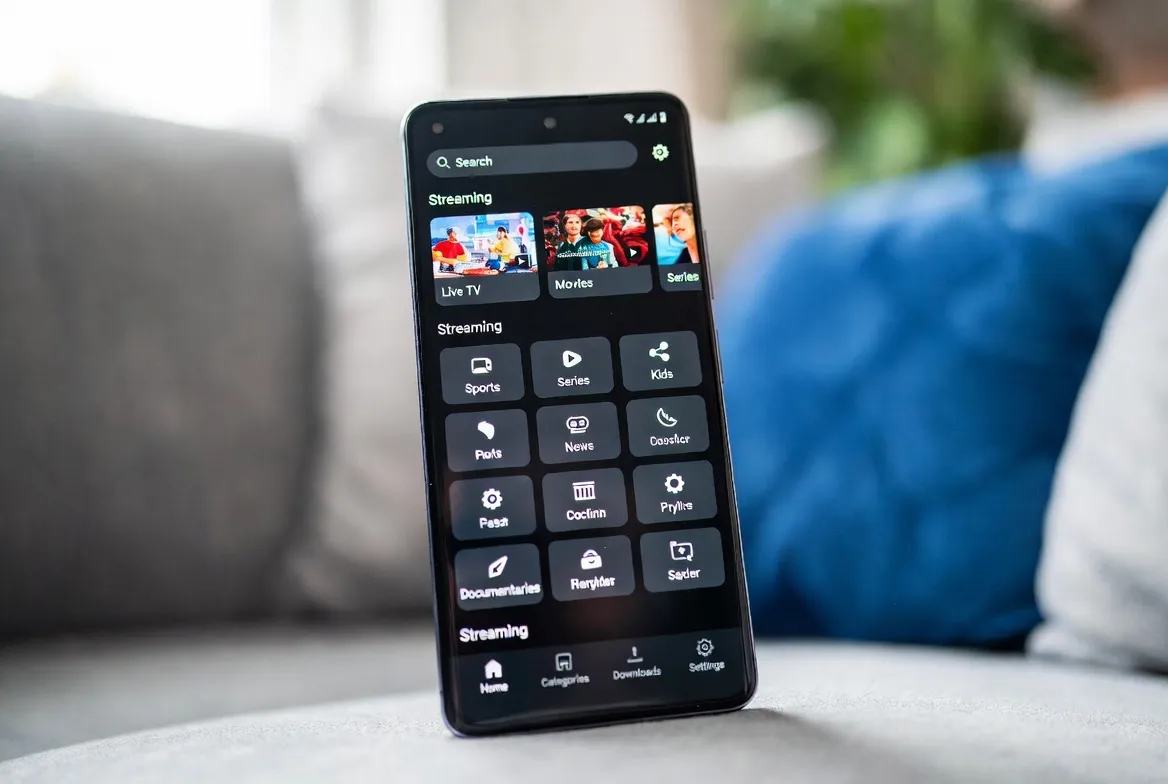
Turn your Android phone into a portable TV. StreamTV works on every Android device — Samsung, Pixel, OnePlus, Xiaomi — with the best free apps like IPTV Smarters Pro and TiviMate. Stream 20,000+ channels in 4K, watch on WiFi or 5G, even download for offline viewing. All for $11.88/month.
Watch on Any Android Phone
Samsung, Pixel, OnePlus, Xiaomi, Motorola — works on Android 8+ with smooth 4K playback
Stream Over WiFi or 5G
Adaptive bitrate adjusts automatically — 720p on 5G, 1080p/4K on WiFi for buttery playback
Download for Offline Viewing
Save VOD movies & shows to phone storage, watch on flights or commutes without data
Battery & Data Optimized
Hardware decoding uses 60% less battery + smart compression saves 40% mobile data
Top 6 Android IPTV Apps
📱 IPTV Smarters Pro
Most popular — clean UI, full EPG, multi-screen, parental lock. Free on Play Store. Works perfectly with StreamTV M3U/Xtream codes
📱 TiviMate Companion
Premium look, fastest channel switching, picture-in-picture. £8 lifetime upgrade unlocks all features. Best for power users
📱 OTT Navigator
Lightweight, low data usage, supports cast to TV. Free with optional £3 upgrade. Great for older Android phones
📱 GSE Smart IPTV
Reliable, multi-protocol support (M3U, Xtream, Stalker). Free with ads or £6 ad-free. Solid backup option
📱 XCIPTV Player
Built specifically for Xtream codes — easiest StreamTV setup, just enter username/password. Free download
📱 StreamTV Web Player
No app needed — open Chrome on Android, log into your StreamTV account, watch instantly. Best for guest/temporary use
5-Minute Setup Guide
1. Download IPTV Smarters Pro
Open Google Play Store, search 'IPTV Smarters Pro' — install free. Most stable, easiest setup for beginners
2. Get StreamTV credentials
After signup, you'll receive Xtream Codes login (URL, username, password) via email — copy these to phone
3. Add account in app
Open Smarters → 'Add User' → 'Login with Xtream Codes API' → paste credentials → tap Add
4. Wait 30 seconds for EPG load
App downloads channel list and 7-day TV guide. One-time process — instant loads after that
5. Start watching anywhere
Browse 20,000+ channels, tap to play. Works on WiFi, 4G, 5G — mobile-optimized streams
Mobile Optimization Tips
- Use WiFi for 4K, mobile data for HD
Set 1080p as default on mobile data — saves 60% data while still looking great. Switch to 4K on WiFi
- Enable hardware decoding in app
Smarters Pro → Settings → Player Selection → Hardware+. Uses GPU instead of CPU — 60% less battery drain
- Cast to TV with Chromecast
Tap cast icon in Smarters Pro to send stream to Chromecast/Google TV — phone becomes remote, no quality loss
- Download VOD before flights
On WiFi, download 5-10 movies to phone — watch ad-free during flights without burning data or roaming
- Set sleep timer for bed
Smarters Pro has built-in sleep timer (15/30/60 min) — auto-stops playback to save battery overnight
Frequently Asked Questions
What's the best IPTV app for Android phones in 2026?
IPTV Smarters Pro is the best free Android app — clean interface, full EPG, parental lock, multi-screen. Works perfectly with StreamTV via Xtream Codes login. For premium users, TiviMate Companion offers the smoothest experience with picture-in-picture. Both available on Google Play Store.
How do I install StreamTV on my Android phone?
Download IPTV Smarters Pro free from Google Play Store. After signing up for StreamTV ($11.88/mo), you'll receive Xtream Codes credentials by email. Open Smarters → Add User → Login with Xtream Codes API → paste credentials. Setup takes 2 minutes — then watch 20,000+ channels anywhere.
Will IPTV drain my Android phone battery?
Not with proper setup. Enable hardware decoding in Smarters Pro (Settings → Player → Hardware+) — uses GPU instead of CPU, reducing battery drain by 60%. A typical 90-minute movie uses ~12% battery on modern phones, similar to Netflix.
How much mobile data does IPTV use on Android?
About 1.5GB/hour at 1080p HD, 700MB/hour at 720p. StreamTV's adaptive bitrate auto-adjusts based on connection — defaults to lower quality on mobile data. With unlimited 5G plans, this is no issue. Use WiFi for 4K (3GB/hour) to save data.
Can I watch IPTV offline on Android with StreamTV?
Yes — StreamTV's 50,000+ VOD library supports download for offline viewing through compatible apps like Smarters Pro. Save movies and shows to your Android phone's storage when on WiFi, then watch on flights, commutes, or anywhere without data. Live channels require internet.
TV in Your Pocket — Anywhere
20,000+ channels on Android. $11.88/mo. Free 24-hour trial — setup in 2 minutes.