How IPTV Parental Locks Work: Block Channels by Rating in Seconds
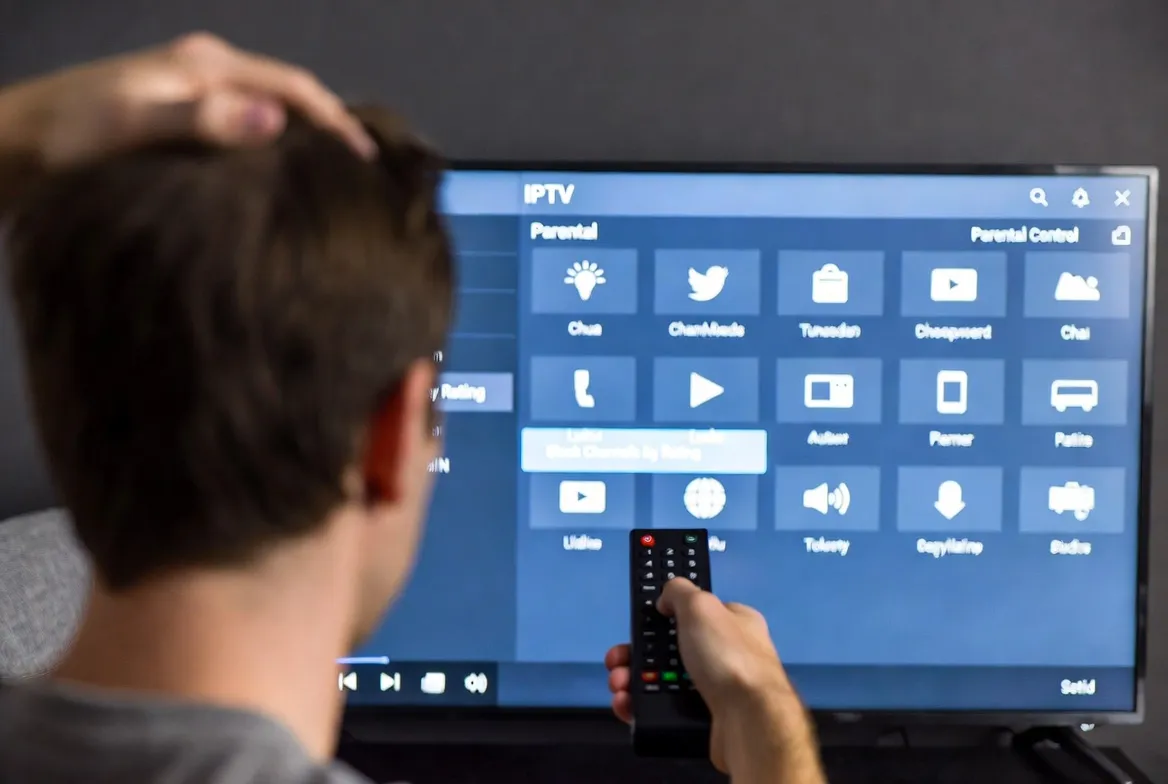
Thousands of channels at your fingertips — but not every channel is appropriate for every viewer. If you have kids at home, IPTV parental controls let you block channels by content rating, hide adult content, and create a family-safe viewing environment — all in under 60 seconds.
Unlike traditional cable where parental locks are buried in confusing menus, modern IPTV players make it incredibly simple. Whether you use TiviMate, IPTV Smarters, or any M3U-based player, this guide walks you through every step to protect your family while enjoying 18,000+ live channels.
🔒 Family-Safe IPTV Starts Here
StreamTV includes built-in parental controls with every subscription. Try it free for 24 hours.
Why IPTV Parental Controls Matter in 2026
With IPTV services offering 18,000+ channels from 120+ countries, content variety is incredible — but it also means adult, violent, or age-inappropriate channels are just a click away. Here's why IPTV parental locks are essential:
Protect Young Viewers
Block adult, violent, or mature-rated channels automatically
PIN-Protected Access
Only parents with the PIN can unlock restricted channels
Category-Level Blocking
Block entire categories like adult, pay-per-view, or international
Per-Profile Controls
Set different restrictions for each family member's profile
How IPTV Parental Locks Actually Work
IPTV parental controls operate at the player level, meaning your IPTV app handles the blocking — not the provider. Here's the mechanism:
🔧 The 3-Layer Protection System
PIN Lock
Set a 4-digit PIN that's required to access locked channels. Without the PIN, the channel simply won't play.
Channel Hiding
Completely remove restricted channels from the channel list. Kids won't even know they exist.
Category Filtering
Block entire channel groups by category — adult, news, international, or custom groups you define.
How to Set Up Parental Controls on TiviMate
TiviMate Premium offers the most robust parental control features of any IPTV player. Here's how to configure it:
📱 TiviMate Parental Lock Setup (Under 60 Seconds)
- Step 1: Open TiviMate → Go to Settings → Parental Controls
- Step 2: Enable "Require PIN to unlock" → Create a 4-digit PIN
- Step 3: Go to the channel list → Long-press any channel you want to lock
- Step 4: Select "Lock Channel" or "Hide Channel"
- Step 5: Repeat for any channels or lock entire groups at once
💡 Pro Tip: Use "Hide" instead of "Lock" for younger children — they won't even see the channels in the list.
How to Set Up Parental Controls on IPTV Smarters
📱 IPTV Smarters Pro Parental Lock Setup
- Step 1: Open IPTV Smarters → Tap the hamburger menu (☰)
- Step 2: Go to Settings → Parental Control
- Step 3: Set a master PIN code (default is often 0000 — change it!)
- Step 4: Navigate to Live TV → Long-press any channel → Select "Lock"
- Step 5: A 🔒 icon appears next to locked channels — PIN required to view
IPTV Player Parental Control Comparison
Not all IPTV players offer the same level of parental protection. Here's how the top players compare:
| IPTV Player | PIN Lock | Hide Channels | Category Block | Per-Profile | Rating Filter |
|---|---|---|---|---|---|
| TiviMate Premium | ✅ | ✅ | ✅ | ✅ | ✅ |
| IPTV Smarters Pro | ✅ | ✅ | ✅ | ❌ | ❌ |
| VLC Media Player | ❌ | ❌ | ❌ | ❌ | ❌ |
| Kodi + PVR | ✅ | ✅ | ✅ | ✅ | ✅ |
| OTT Navigator | ✅ | ✅ | ✅ | ✅ | ❌ |
| GSE Smart IPTV | ✅ | ❌ | ❌ | ❌ | ❌ |
Device-Specific Parental Control Tips
Fire Stick / Android TV
- • Use TiviMate's built-in parental PIN
- • Enable Amazon's FreeTime for additional device-level restrictions
- • Set a PIN for app purchases in Fire TV settings
- • Use restricted profiles on Android TV
iPhone / iPad
- • Use IPTV Smarters' channel lock feature
- • Enable Screen Time → Content Restrictions on iOS
- • Set app-level time limits for IPTV apps
- • Use Guided Access to lock kids into one app
Smart TV (Samsung / LG)
- • Use the TV's built-in app lock feature
- • Set a system PIN for all app installations
- • Configure IPTV player-level locks after installing
- • Some TVs support Kids Mode for restricted access
Windows PC / Laptop
- • Use Kodi's profile system with master lock
- • Create a separate Windows user account for kids
- • Enable Microsoft Family Safety for app restrictions
- • Use MyIPTV Player with manual channel list filtering
Advanced Parental Control Strategies
Create a Kids-Only Playlist
Instead of blocking hundreds of channels, create a curated M3U playlist with only kid-friendly channels. Load this as a separate playlist in your IPTV player.
Use Router-Level Controls
For extra protection, set up DNS-level filtering (like OpenDNS Family Shield) on your router. This blocks inappropriate content across ALL devices on your network.
Schedule Viewing Hours
Some IPTV players and smart TVs let you set time-based restrictions. Limit IPTV access to specific hours so kids can't watch late at night.
Multi-Connection Profiles
With StreamTV's multi-device plans, set up separate connections per family member — each with their own parental lock configuration.
🛡️ Keep Your Family Safe — Try StreamTV Free
18,000+ channels with built-in parental controls on every device.
PIN-lock channels, hide adult content, and create kid-safe profiles in seconds.
Plans start at $11.88/mo • Cancel anytime • No contract
Frequently Asked Questions About IPTV Parental Controls
How do I set up parental controls on IPTV?
Open your IPTV player's settings, navigate to Parental Controls or Channel Lock, create a 4-digit PIN, then select channels or content ratings to block. Most players like TiviMate and IPTV Smarters have built-in parental lock features that take under 60 seconds to configure.
Can I block specific channels on IPTV?
Yes! Most IPTV players allow you to lock or completely hide individual channels using a PIN code. You can also block entire channel categories (adult, sports, news) or filter by content rating for comprehensive protection.
Do IPTV parental controls work on all devices?
Parental controls are available on most IPTV players across Fire Stick, Android TV, smartphones, tablets, smart TVs, and PCs. The setup process varies slightly by device, but the core functionality — PIN locking and channel hiding — is universal.
What is the best IPTV app for parental controls?
TiviMate Premium offers the most comprehensive parental control features including PIN-locked channels, hidden channel groups, per-profile restrictions, and content rating filters. IPTV Smarters Pro and OTT Navigator are also excellent choices.
Can my kids bypass IPTV parental locks?
With a strong PIN (avoid 0000 or 1234) and the channel hiding feature, it's very difficult for children to bypass parental controls. For extra security, combine IPTV player locks with device-level restrictions like Amazon FreeTime or iOS Screen Time.
Does StreamTV support parental controls?
Yes! StreamTV works with all major IPTV players that support parental controls. We recommend TiviMate Premium for the best parental lock experience. Our multi-device plans also let you set up separate profiles for each family member.
How do I create a kids-only IPTV channel list?
You can create a curated M3U playlist containing only kid-friendly channels and load it as a separate playlist in your IPTV player. Alternatively, use TiviMate's channel group feature to create a 'Kids' group with only appropriate channels.