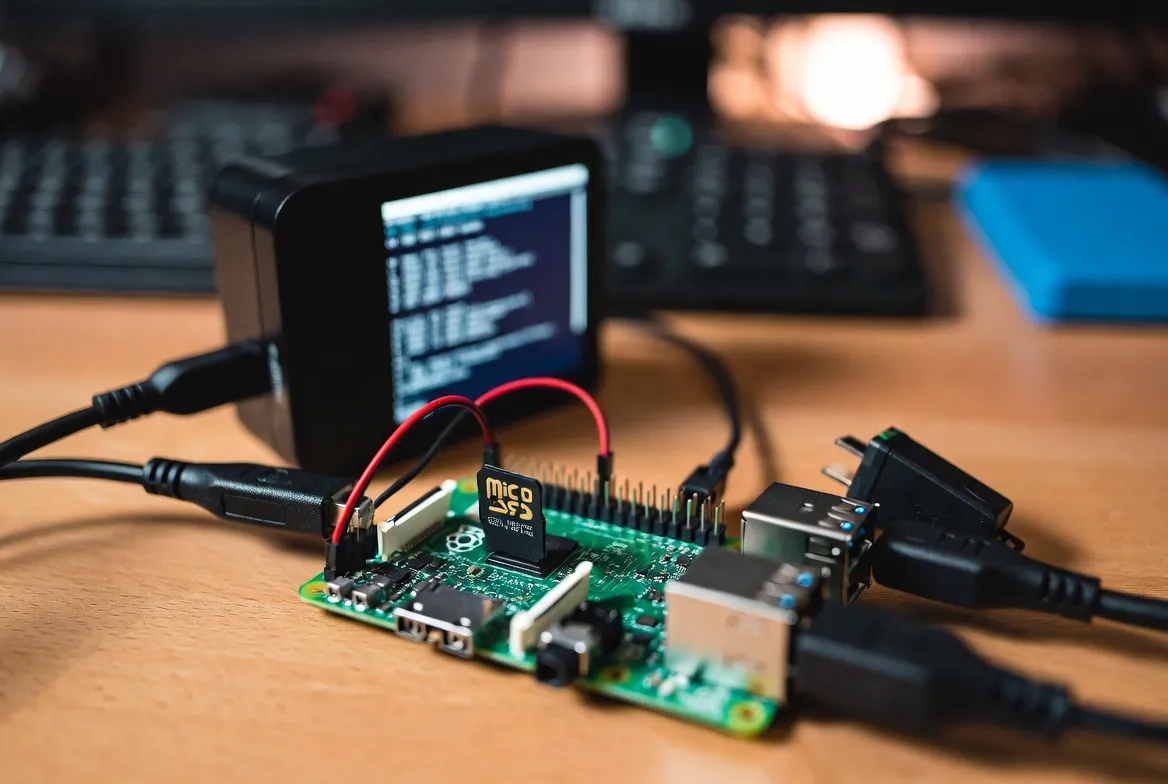
How to Set Up IPTV on Raspberry Pi for a DIY Streaming Box
Why pay for overpriced streaming boxes when you can build a superior IPTV setup with a Raspberry Pi for under $100? This tiny computer delivers 4K streaming, runs ad-free, supports system-level VPN, and auto-boots directly into your favorite IPTV player. Here's how to build the ultimate DIY streaming box – step by step.
Why Raspberry Pi for IPTV?
- ✅ 4K60 streaming on Pi 5
- ✅ Zero ads – clean Linux OS
- ✅ System-level VPN support
- ✅ Auto-boot to Kodi/IPTV
- ✅ Under $100 total cost
- ✅ No Amazon/Google tracking
- ✅ Full open-source stack
- ✅ DVR recording capability
Which Raspberry Pi Model for IPTV?
Not all Pi models are equal for IPTV. The Raspberry Pi 5 is the clear winner with its powerful Cortex-A76 CPU, hardware HEVC decoding, and dual 4K60 HDMI output. Here's how each model stacks up:
| Model | CPU | RAM | Video Out | Price | Rating |
|---|---|---|---|---|---|
| Raspberry Pi 5 (8GB) | Quad-core Cortex-A76 @ 2.4GHz | 8GB LPDDR4X | 4K60 dual HDMI | $80 | ⭐ Best for IPTV |
| Raspberry Pi 5 (4GB) | Quad-core Cortex-A76 @ 2.4GHz | 4GB LPDDR4X | 4K60 dual HDMI | $60 | ⭐ Great value |
| Raspberry Pi 4B (4GB) | Quad-core Cortex-A72 @ 1.8GHz | 4GB LPDDR4 | 4K30 dual micro-HDMI | $55 | Good budget pick |
| Raspberry Pi 4B (2GB) | Quad-core Cortex-A72 @ 1.8GHz | 2GB LPDDR4 | 4K30 dual micro-HDMI | $35 | Entry level |
Complete Shopping List
Everything you need to build your Raspberry Pi IPTV streaming box. Total cost: approximately $100–$130 one-time.
Main streaming device
Stable power delivery
OS and app storage
Connect to your TV
Cooling for 4K playback
Wired connection for best quality
Initial configuration
Step-by-Step Setup Guide
Follow these steps to transform your Raspberry Pi into a powerful IPTV streaming box. We recommend LibreELEC + Kodi for the best experience – it boots directly into Kodi with zero configuration.
Step 1
Flash LibreELEC to Your MicroSD Card
- 1.Download the Raspberry Pi Imager from raspberrypi.com
- 2.Insert your microSD card into your computer
- 3.In Pi Imager, select OS → LibreELEC → LibreELEC (RPi5)
- 4.Select your SD card as the target storage
- 5.Click 'Write' and wait for the process to complete (~5 min)
Step 2
Assemble & Boot Your Raspberry Pi
- 1.Insert the flashed microSD into the Pi's card slot
- 2.Connect HDMI cable to your TV (use HDMI 0 on Pi 5)
- 3.Plug in Ethernet cable for best streaming quality
- 4.Connect power supply – Pi will boot into Kodi automatically
- 5.Complete the initial Kodi setup wizard (language, timezone)
Step 3
Install PVR IPTV Simple Client
- 1.In Kodi, go to Settings → Add-ons → Install from repository
- 2.Navigate to PVR clients → PVR IPTV Simple Client
- 3.Click Install and wait for the download to complete
- 4.Once installed, go to Configure → General
- 5.Select 'M3U Play List URL' as your location type
Step 4
Enter Your StreamTV IPTV Credentials
- 1.In the PVR IPTV Simple Client settings, enter your M3U URL
- 2.Your M3U URL is provided in your StreamTV welcome email
- 3.Alternatively, use Xtream Codes login (server, username, password)
- 4.Set EPG URL for the electronic program guide
- 5.Click OK to save and restart Kodi when prompted
Step 5
Configure for Optimal 4K Playback
- 1.Go to Settings → System → Display → Resolution: 3840x2160
- 2.Set Refresh rate to 60Hz for smooth playback
- 3.Enable Settings → Player → Videos → Allow hardware acceleration
- 4.Set Audio output to HDMI for surround sound passthrough
- 5.Optional: Enable Settings → Player → Videos → Adjust display refresh rate
Step 6
Set Up Auto-Boot & Remote Control
- 1.LibreELEC auto-boots into Kodi by default – no extra config needed
- 2.Pair a Bluetooth remote or use the Kodi app on your phone
- 3.Install Kore (Android) or Official Kodi Remote (iOS)
- 4.Enable Settings → Services → Control → Allow remote control via HTTP
- 5.Your Raspberry Pi IPTV box is ready – enjoy 18,000+ channels!
Best IPTV Software for Raspberry Pi
While we recommend Kodi + PVR IPTV Simple Client for most users, here are all the IPTV player options available for Raspberry Pi:
| Software | Type | Pros | Cons | Best For |
|---|---|---|---|---|
| Kodi + PVR IPTV Simple Client | Media center | Full EPG, recording, add-ons | Steeper learning curve | Power users |
| VLC Media Player | Lightweight player | Simple, plays M3U directly | No EPG, basic UI | Quick setup |
| Hypnotix | IPTV-focused player | Clean UI, M3U/Xtream support | Linux Mint default, limited | Beginners |
| FreeTuxTV | Desktop IPTV | Lightweight, channel groups | Dated UI | Minimal setups |
| TVHeadend + Kodi | PVR backend | DVR recording, multi-tuner | Complex setup | Recording fans |
Raspberry Pi vs Fire Stick vs NVIDIA Shield
Wondering how a Raspberry Pi IPTV setup compares to commercial streaming devices? The Pi wins on customization, privacy, and long-term value:
| Feature | Raspberry Pi 5 | Fire Stick 4K | NVIDIA Shield |
|---|---|---|---|
| Device cost | $60–$80 (one-time) | $40–$60 | $150–$200 |
| Monthly IPTV cost | $11.88 | $11.88 | $11.88 |
| 4K playback | ✅ 4K60 (Pi 5) | ✅ 4K (4K Max) | ✅ 4K HDR |
| Customization | ✅ Fully open | ⚠️ Limited | ⚠️ Moderate |
| Ad-free OS | ✅ Zero ads | ❌ Amazon ads | ✅ Minimal |
| VPN support | ✅ System-level | ⚠️ App only | ⚠️ App only |
| Auto-boot to IPTV | ✅ Fully configurable | ❌ No | ⚠️ Limited |
| Privacy | ✅ No telemetry | ❌ Amazon tracking | ⚠️ Google tracking |
Pro Tips: Optimize Your Pi IPTV Box
Use Ethernet Over WiFi
A wired connection eliminates buffering. Cat6 Ethernet delivers consistent 1 Gbps speeds for flawless 4K IPTV streaming.
Install WireGuard VPN
Set up WireGuard at the system level for encrypted IPTV streaming. It runs natively on Linux with minimal performance impact.
Overclock for Performance
Pi 5 can safely overclock to 2.6–2.8 GHz with proper cooling. Edit /boot/config.txt to boost CPU and GPU frequencies.
Enable CEC for TV Control
HDMI-CEC lets your TV remote control Kodi. Turn on your TV and the Pi wakes up automatically – true set-top-box experience.
Voice Search: Quick Answers
Ready to Build Your Raspberry Pi IPTV Box?
Get your StreamTV subscription and start streaming 18,000+ live channels on your Raspberry Pi today. Complete setup takes under 30 minutes – and you'll never look at a Fire Stick the same way again.
Works with Raspberry Pi 4 & 5 • M3U & Xtream Codes • 24/7 support
Frequently Asked Questions
Q:Can Raspberry Pi 5 play 4K IPTV streams?
Yes! The Raspberry Pi 5 features dual 4K60 HDMI output with hardware H.265/HEVC decoding. Combined with Kodi and a stable internet connection of 25 Mbps or higher, it delivers smooth 4K IPTV streaming that rivals expensive set-top boxes.
Q:Which Raspberry Pi model is best for IPTV?
The Raspberry Pi 5 with 4GB RAM is the best value for IPTV. It handles 4K streams effortlessly, boots quickly, and has enough power for EPG guides and multi-stream setups. The 8GB model adds headroom for recording and multitasking.
Q:Is Raspberry Pi IPTV better than Fire Stick?
For customization, privacy, and control – absolutely. Raspberry Pi runs a clean Linux OS with no ads, supports system-level VPN, auto-boots to Kodi, and gives you full control over your streaming setup. Fire Stick is easier to set up but comes with Amazon ads and limited customization.
Q:How much does a Raspberry Pi IPTV setup cost total?
A complete Raspberry Pi IPTV setup costs approximately $100–$130 one-time (Pi 5 + case + power supply + SD card + cable), plus your monthly IPTV subscription of $11.88. After the initial investment, your ongoing cost is just the IPTV subscription – no equipment rental fees.
Q:Can I record live TV on Raspberry Pi IPTV?
Yes! Using TVHeadend as a backend with Kodi as the frontend, you can schedule recordings, set up series links, and store recordings on an external USB drive. This turns your Pi into a full DVR system for live IPTV channels.
Q:Do I need to know Linux to set up IPTV on Raspberry Pi?
Basic familiarity helps, but our step-by-step guide walks you through every command. LibreELEC (a Kodi-based OS) is the easiest option – it boots directly into Kodi with no Linux knowledge required. Most users complete the setup in under 30 minutes.
Conclusion
A Raspberry Pi IPTV streaming box is the ultimate DIY project for cord-cutters who want full control over their viewing experience. For under $100 in hardware plus $11.88/month for StreamTV, you get a privacy-respecting, ad-free, fully customizable streaming device that outperforms commercial boxes costing twice as much.
Whether you choose the beginner-friendly LibreELEC route or the power-user Raspbian + Kodi path, your Raspberry Pi will deliver thousands of live channels in stunning 4K quality. Add a VPN for privacy, set up DVR recording, and auto-boot into Kodi – and you'll have a streaming setup that no off-the-shelf device can match.
Grab your Raspberry Pi, sign up for StreamTV, and start building the ultimate IPTV box today.