IPTV on Raspberry Pi: DIY Streaming Box for Under $50
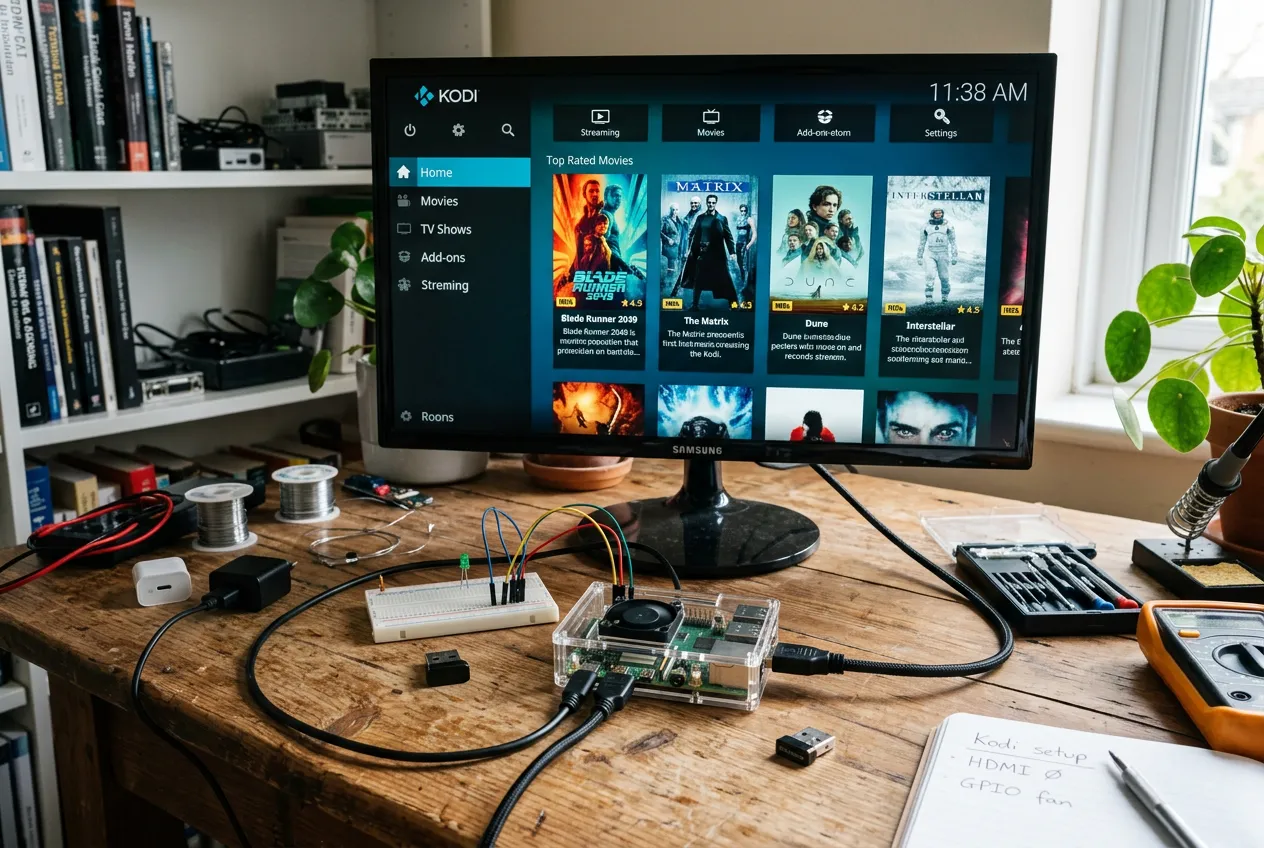
Tired of Firestick ads and Amazon lock-in? Build your own IPTV streaming box with a Raspberry Pi 4 for under $50 — no ads, full customization, lasts 5+ years. Pair with StreamTV ($11.88/mo) for 24,000 live channels in HD.
Parts List ($50 Total)
Raspberry Pi 4 (2GB)
$35 — quad-core ARM, 4K HDMI output, plenty for IPTV
32GB microSD card
$8 — SanDisk Class 10 for OS + app storage
Power supply (USB-C 5V/3A)
$8 — official Pi adapter recommended
HDMI cable (micro-HDMI to HDMI)
$5 — required for Pi 4's micro port
Optional: case + remote
$10-15 — Argon ONE case + Flirc USB remote
Total build cost
Under $50 — cheaper than Firestick 4K Max long-term
Raspberry Pi vs Firestick
| Feature | Raspberry Pi 4 | Firestick / Shield |
|---|---|---|
| Hardware cost | $50 (one-time) | $60 Firestick / $200 Shield TV |
| Performance | Smooth 1080p, 4K w/ optimizations | Native 4K HDR |
| Customization | Full Linux — install anything | Locked Fire OS / Android |
| No ads on home screen | Yes — clean LibreELEC interface | Amazon ads everywhere |
| StreamTV compatible | Yes (IPTV Simple Client) | Yes (native app) |
Setup in 5 Steps
- 1Flash LibreELEC to microSD using Raspberry Pi Imager (free)
- 2Insert SD into Pi 4, connect HDMI + power
- 3On first boot, complete LibreELEC setup wizard
- 4Install 'PVR IPTV Simple Client' add-on in Kodi
- 5Sign up at getstreamtv.live → paste M3U URL → enjoy 24,000 channels
Why DIYers Love Raspberry Pi for IPTV
- No ads, no upsells, no Amazon tracking
- Full Linux — install VPN, DVR, anything
- $50 one-time vs constant Firestick upgrades
- Silent operation with passive cooling case
- Add Tvheadend for built-in DVR recording
- Works perfectly with StreamTV M3U feed
FAQs
Can a Raspberry Pi really stream IPTV smoothly?
Yes — the Raspberry Pi 4 (2GB+) handles 1080p IPTV streams flawlessly via LibreELEC + Kodi. With hardware decoding enabled, even 4K H.265 streams work on most channels.
How do I install StreamTV on Raspberry Pi?
Install LibreELEC on the Pi, open Kodi, enable 'PVR IPTV Simple Client' add-on, paste your StreamTV M3U URL from getstreamtv.live, and you're streaming 24,000 live channels.
Is Raspberry Pi cheaper than Firestick for IPTV?
Long-term yes — Pi has no ads, no Amazon lock-in, and the hardware lasts 5+ years. Total $50 build vs $60 Firestick 4K Max with constant ad upsells.
Does it work with VPN and recording?
Absolutely — Pi runs full Linux, so you can install OpenVPN, set up DVR recording with Tvheadend, and customize everything. Firestick can't match this flexibility.
$50 Box + $11.88/mo = 24,000 Channels
No ads. No lock-in. Just streaming. Free trial today.
Start Free Trial