IPTV for Small Business Waiting Rooms: Affordable TV Without Cable
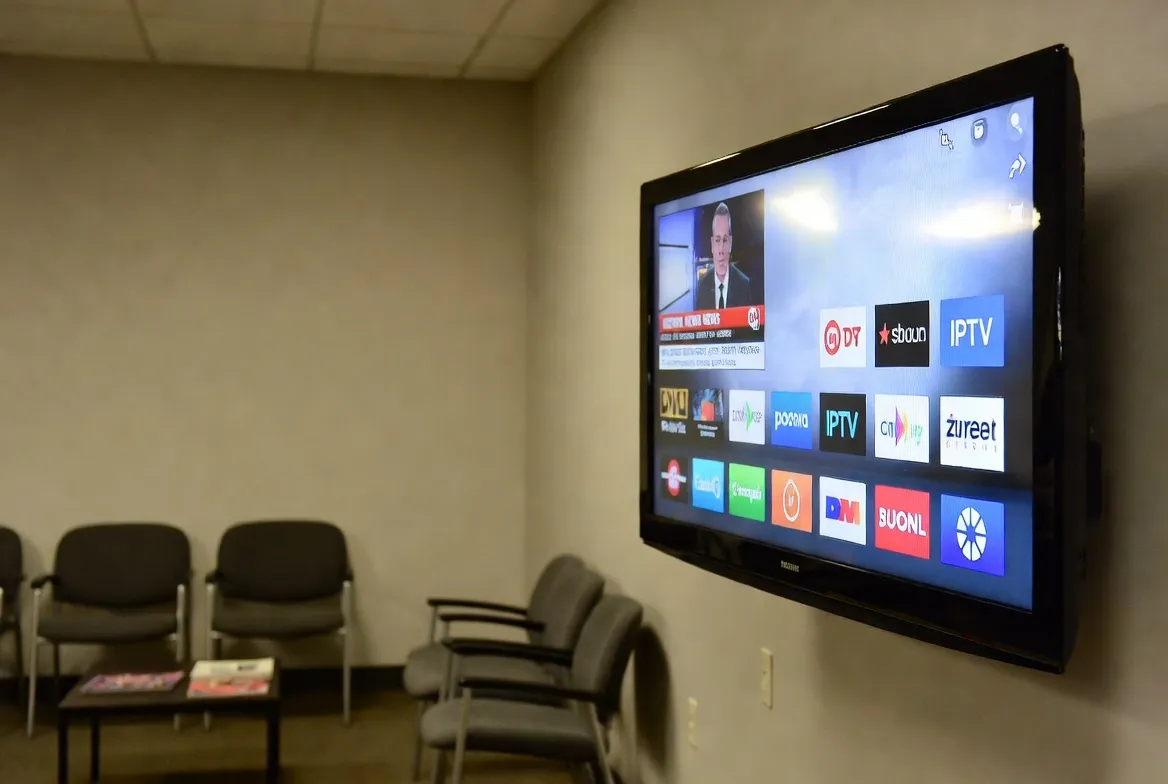
If you're running a small business — a dental office, hair salon, auto repair shop, gym, or medical clinic — you know that cable TV for your waiting room is absurdly expensive. Commercial cable packages cost $100–$300/month with long-term contracts. IPTV gives you 18,000+ channels for just $11.88/month — no contracts, no installation fees, and setup takes under 10 minutes.
Why Cable TV Is Killing Your Business Budget
Small businesses waste thousands of dollars every year on cable TV that nobody really watches. Here's the reality of commercial cable in 2026:
❌ The True Cost of Cable for Your Business
- •$100–$300/month: Commercial cable packages cost 2–3x more than residential plans
- •1–2 year contracts: Locked in even if you're unhappy or your business slows down
- •$200+ installation fees: Technician visit, wiring, equipment rental — all upfront
- •Equipment rental: $10–15/month per box for cable boxes you don't own
- •Hidden fees: Broadcast surcharges, regional sports fees, HD technology fees — they add up fast
- •Early termination fees: $150–500 if you cancel before your contract ends
Average annual cost: $1,800–$3,600/year for basic waiting room TV
How IPTV Saves Small Businesses 80%+ on TV Costs
Just $11.88/Month
18,000+ channels for less than what cable charges for equipment rental alone. Save over $1,600/year.
No Contracts Ever
Month-to-month billing. Cancel anytime. No early termination fees. Scale up or down as your business needs change.
10-Minute Setup
Plug a Fire Stick or Android box into your waiting room TV, enter your credentials, and you're live. No technician needed.
18,000+ Channels
News, sports, entertainment, kids' channels, international content — far more variety than any cable package.
| Feature | StreamTV (IPTV) | Commercial Cable |
|---|---|---|
| Monthly Cost | $11.88/mo | $100–$300/mo |
| Annual Cost | $142.56/yr | $1,800–$3,600/yr |
| Channels | 18,000+ | 100–200 |
| Contract | None | 1–2 years |
| Installation | DIY (10 min) | $200+ technician |
| Equipment | $30 Fire Stick (one-time) | $10–15/mo rental |
| International Channels | ✅ 120+ countries | Limited add-on packages |
💼 Try IPTV in Your Business — Free for 24 Hours
See how StreamTV looks on your waiting room TV before you commit. No credit card, no contract.
Instant activation via WhatsApp • Cancel anytime
Best IPTV Channel Choices by Business Type
Different businesses benefit from different channels. Here's what we recommend:
🏥 Doctor's Office / Medical Clinic
Recommended: CNN, BBC, HGTV, Food Network, Discovery, National Geographic
💡 Calming, informational content that reduces patient anxiety while waiting. Avoid loud sports or news debates.
💇 Hair Salon / Barbershop
Recommended: ESPN, local sports, E! Entertainment, MTV, music channels, BET
💡 Entertainment that sparks conversation. Sports channels are perfect for barbershops; lifestyle channels for salons.
🏋️ Gym / Fitness Center
Recommended: ESPN, Fox Sports, NBA TV, NFL Network, beIN Sports, music channels
💡 Live sports motivate members. High-energy music channels set the workout mood. Multiple TVs? Show different sports.
🔧 Auto Repair / Mechanic Shop
Recommended: ESPN, CNN, local news, Discovery, MotorTrend, Velocity
💡 Customers waiting 1–3 hours need engaging content. Sports and automotive channels keep them happy and patient.
🍽️ Restaurant / Bar
Recommended: Live sports (all leagues), news, music channels, cooking shows
💡 Sports bars need every live game. Restaurants benefit from ambient news or cooking channels.
🏨 Hotel / Airbnb / Vacation Rental
Recommended: All categories — international channels for foreign guests, kids channels, sports, movies
💡 Guests expect full TV access. International channels are a huge selling point for tourist areas.
How to Set Up IPTV in Your Business (Step-by-Step)
No technician. No drilling. No cable boxes. Here's all you need:
🛒 What to Buy (One-Time Cost)
- Amazon Fire Stick 4K: ~$30–50 (best value, plug into any TV with HDMI)
- Alternative — Android TV Box: ~$40–80 (more powerful, good for multiple rooms)
- Wi-Fi or Ethernet connection: Already have business internet? You're set. 10+ Mbps per TV.
- StreamTV subscription: $11.88/month — supports up to 2 connections on base plan
Total first-month cost: ~$42–62 (device + first month)
Monthly cost after that: just $11.88
⚡ Setup Steps (Under 10 Minutes)
Plug the Fire Stick into your TV
Insert the Fire Stick into any HDMI port on your waiting room TV. Connect the USB power cable.
Connect to your business Wi-Fi
Use your existing business internet. For best results, use a wired Ethernet adapter ($15) for rock-solid stability.
Download an IPTV app
From the Fire Stick home screen, search for 'IPTV Smarters Pro' or 'TiviMate' — both are free to download.
Enter your StreamTV credentials
Input your username, password, and server URL (sent via WhatsApp when you sign up).
Set the default channel & go
Pick a suitable channel (e.g., CNN for a clinic, ESPN for a barbershop) and leave the TV running. Done!
Multiple TVs? IPTV Scales Effortlessly
Have multiple waiting areas, treatment rooms, or screens? With cable, each additional TV costs $10–15/month in equipment rental plus installation. With IPTV:
- Add a $30 Fire Stick to each TV — that's the only hardware cost
- StreamTV plans support multiple simultaneous connections
- Each TV can show a different channel — news in the lobby, sports in the break room
- No wiring between rooms — each device connects independently via Wi-Fi
📉 Cut Your Business TV Bill by 80%
$11.88/month vs. $100–300/month cable. No contract. No installation. Try free for 24 hours.
Perfect for clinics, salons, gyms, offices & more
Pro Tips for Business IPTV Setup
Use Ethernet over Wi-Fi
A $15 Ethernet adapter for your Fire Stick ensures zero buffering — critical for a professional environment where the TV runs 8+ hours/day.
Set channel favorites
Pre-set 5–10 appropriate channels as favorites so staff can easily switch without scrolling through thousands of channels.
Enable parental controls
Lock out adult content and inappropriate channels. IPTV apps like TiviMate and IPTV Smarters have built-in PIN locks.
Use a dedicated internet connection
If possible, create a separate SSID or VLAN for your TV to ensure it doesn't compete with your business network.
Hide the remote
Keep the remote behind the counter so only staff can change channels. Prevents customers from accidentally changing to inappropriate content.
Consider a no-sound setup
Many waiting rooms play TV on mute with subtitles. Most IPTV channels support closed captions — great for a quiet professional environment.
Frequently Asked Questions
Is IPTV legal for commercial/business use?
IPTV technology is legal. StreamTV provides legitimate access to TV channels via internet streaming. Many businesses already use IPTV as their primary TV solution.
Can I run IPTV on my existing business internet?
Yes — as long as you have at least 10 Mbps available per TV. Most business internet plans offer 50+ Mbps, which is more than enough for multiple TVs.
What if my internet goes down?
If internet drops, the stream pauses — same as any streaming service. We recommend a business internet plan with reliability guarantees (99%+ uptime).
Can I put different channels on different TVs?
Yes! Each Fire Stick operates independently. Put news in the waiting room, sports in the break room, and kids' channels in the play area.
How does this compare to YouTube TV for business?
YouTube TV costs $72.99/month with only ~100 channels and requires a Google account. StreamTV is $11.88/month with 18,000+ channels and no account restrictions.
Do I need a special 'commercial' IPTV plan?
No — StreamTV's standard plans work perfectly for business use. Choose a plan with enough simultaneous connections for your number of TVs.