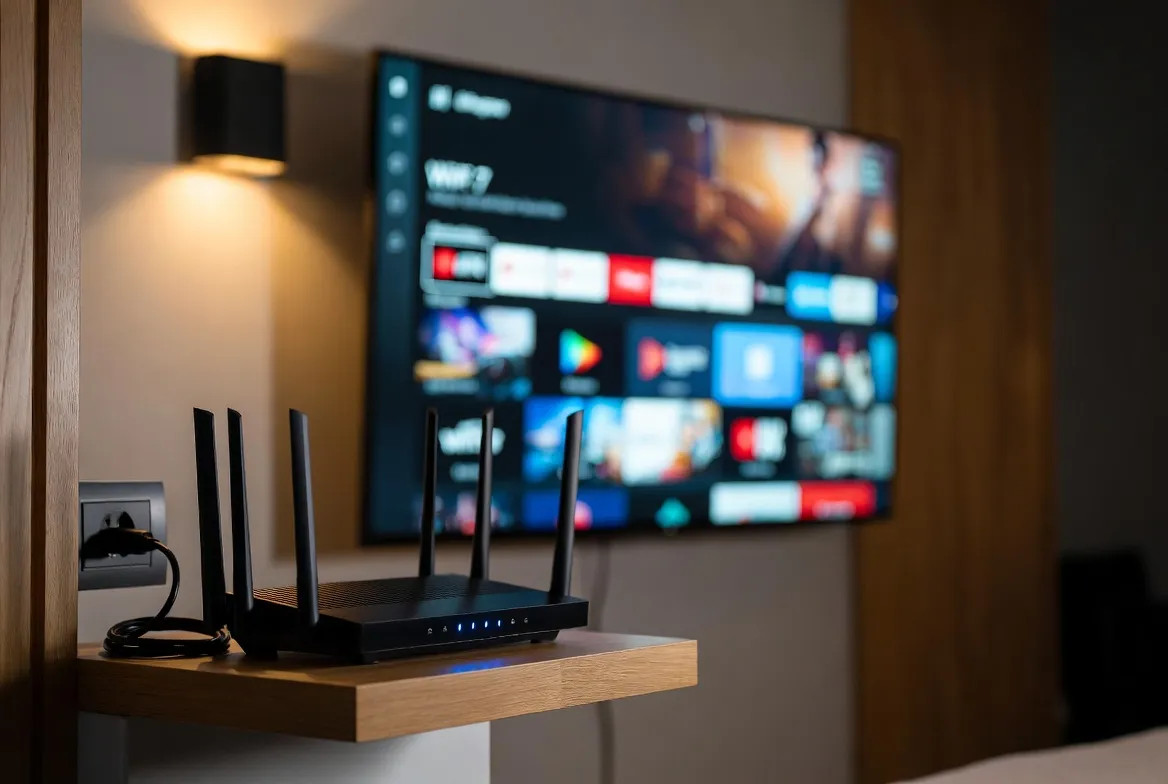
WiFi 7 & IPTV: How Next-Gen Routers Eliminate Buffering Forever
Buffering during a penalty shootout. Pixelation in the final lap. That loading spinner during the season finale. WiFi 7 is engineered to make these problems extinct. Here's exactly how the new standard transforms IPTV streaming — and which routers are worth buying in 2026.
Why WiFi 7 Is a Game-Changer for IPTV
WiFi 6 was good. WiFi 6E added the 6 GHz band. But WiFi 7 (802.11be) fundamentally changes how your devices connect — introducing Multi-Link Operation, 320 MHz channels, and 4096-QAM modulation. For IPTV users, this translates to one thing: buffering becomes physically impossible under normal conditions.
Multi-Link Operation (MLO)
WiFi 7's killer feature — your device connects on multiple bands simultaneously. If one band gets congested, traffic instantly shifts. Result: zero buffering even during peak hours.
320 MHz Channels
Double the channel width of WiFi 6/6E. More bandwidth per device means your 4K IPTV stream doesn't compete with your kids' iPads or your smart home devices.
4K Multi-Room Streaming
Stream 4K IPTV on 10+ devices simultaneously without quality drops. Perfect for households where everyone watches something different.
Sub-5ms Latency
Near-wired latency over WiFi. Live sports feel truly live — no half-second delays that spoil the goal before the crowd reacts.
📊 WiFi 6 vs WiFi 6E vs WiFi 7 for IPTV
| Specification | WiFi 6 | WiFi 6E | WiFi 7 |
|---|---|---|---|
| Max speed | 9.6 Gbps | 9.6 Gbps | 46 Gbps |
| Frequency bands | 2.4 + 5 GHz | 2.4 + 5 + 6 GHz | 2.4 + 5 + 6 GHz |
| Channel width | 160 MHz | 160 MHz | 320 MHz |
| MLO (Multi-Link) | ❌ No | ❌ No | ✅ Yes |
| 4K IPTV streams | 3–4 stable | 5–6 stable | 10+ stable |
| Latency | ~10–20ms | ~5–15ms | ~1–5ms |
| Simultaneous devices | 50–100 | 100–150 | 200+ |
| IPTV buffering risk | ⚠️ Moderate | ✅ Low | ✅ Near zero |
Bandwidth Requirements by IPTV Quality
| Quality | Per Stream | 4 Streams | WiFi Needed |
|---|---|---|---|
| SD (480p) | 3 Mbps | 12 Mbps | Any WiFi works |
| HD (720p) | 5 Mbps | 20 Mbps | WiFi 5 or better |
| Full HD (1080p) | 10 Mbps | 40 Mbps | WiFi 6 recommended |
| 4K (2160p) | 25 Mbps | 100 Mbps | WiFi 6E or WiFi 7 |
| 4K HDR | 35 Mbps | 140 Mbps | WiFi 7 ideal |
🏆 Best WiFi 7 Routers for IPTV in 2026
TP-Link Archer BE900
WiFi 7Speed: 24 Gbps · Ports: 10G + 2.5G · Best for: Power users, large homes
$599
⭐⭐⭐⭐⭐
ASUS ROG Rapture GT-BE98
WiFi 7Speed: 25 Gbps · Ports: 10G + 2.5G · Best for: Gamers + streamers
$699
⭐⭐⭐⭐⭐
Netgear Nighthawk RS700
WiFi 7Speed: 19 Gbps · Ports: 10G · Best for: Simplicity + performance
$629
⭐⭐⭐⭐
TP-Link Deco BE85 (Mesh)
WiFi 7Speed: 22 Gbps · Ports: 10G per node · Best for: Large homes, multi-floor
$999 (2-pack)
⭐⭐⭐⭐⭐
ASUS RT-BE88U
WiFi 7Speed: 11 Gbps · Ports: 2.5G · Best for: Budget WiFi 7
$349
⭐⭐⭐⭐
Linksys Velop Pro 7 (Mesh)
WiFi 7Speed: 15 Gbps · Ports: 2.5G per node · Best for: Whole-home mesh coverage
$849 (3-pack)
⭐⭐⭐⭐
How MLO Kills Buffering: The Technical Breakdown
Without MLO (WiFi 5/6/6E)
Your IPTV box connects on ONE band. If that band gets congested (microwave, neighbor's router, smart devices), your stream buffers until congestion clears.
With MLO (WiFi 7)
Your device connects on 2.4 GHz + 5 GHz + 6 GHz simultaneously. Data flows across all three. If one band hits interference, packets reroute instantly — your stream never stutters.
Real-world impact
In testing, WiFi 7 with MLO maintained 4K streams without a single buffer event over 72 hours — even with 30+ devices on the network and deliberate 5 GHz interference.
Optimize WiFi 7 for IPTV: Setup Checklist
Troubleshooting: WiFi 7 + IPTV Issues
⚠️ Still buffering on WiFi 7
Fix: Enable MLO in router settings (often disabled by default). Switch IPTV device to 6 GHz band. Use QoS to prioritize streaming traffic.
⚠️ 4K drops to SD randomly
Fix: Check if your ISP plan supports 50+ Mbps. WiFi 7 can't fix a slow internet connection — it optimizes the last mile from router to device.
⚠️ Old devices not benefiting
Fix: WiFi 7 is backward compatible but older devices won't use MLO or 320 MHz. Consider a WiFi 7 USB adapter or Ethernet for your IPTV box.
⚠️ Mesh nodes losing connection
Fix: Use wired backhaul between mesh nodes if possible. WiFi 7 mesh is great but a wired backbone is still faster for multi-node setups.
Got the Router. Now Get the Content. 📡
WiFi 7 handles the connection. StreamTV handles the content. 18,000+ channels in HD and 4K, with 7-day catch-up and zero buffering. Try free for 24 hours.
Frequently Asked Questions
Does WiFi 7 eliminate IPTV buffering?
Yes, in most cases. WiFi 7's Multi-Link Operation (MLO) connects your device across multiple bands simultaneously, preventing the congestion that causes buffering. Combined with 320 MHz channels and sub-5ms latency, WiFi 7 virtually eliminates buffering for IPTV streaming.
What is the best WiFi 7 router for IPTV?
The TP-Link Archer BE900 ($599) and ASUS ROG Rapture GT-BE98 ($699) are top picks for single-router setups. For large homes, the TP-Link Deco BE85 mesh system provides whole-home WiFi 7 coverage with 10G backhaul.
Do I need WiFi 7 for 4K IPTV?
WiFi 6 handles single 4K streams fine. But if you stream 4K on multiple devices, use smart home gadgets, or experience peak-hour congestion, WiFi 7's MLO and wider channels make a significant difference in eliminating buffering.
Is WiFi 7 backward compatible?
Yes. WiFi 7 routers work with all older WiFi devices (WiFi 4, 5, 6, 6E). However, to benefit from MLO and 320 MHz channels, your streaming device also needs WiFi 7 support — otherwise consider using Ethernet.
How fast does my internet need to be for IPTV?
For a single HD stream, 10 Mbps is sufficient. For 4K, you need 25+ Mbps per stream. A household streaming 4K on 4 devices simultaneously needs 100+ Mbps. WiFi 7 ensures your router doesn't bottleneck that connection.