IPTV on Chromecast & Google TV: Seamless Setup in Under 3 Minutes
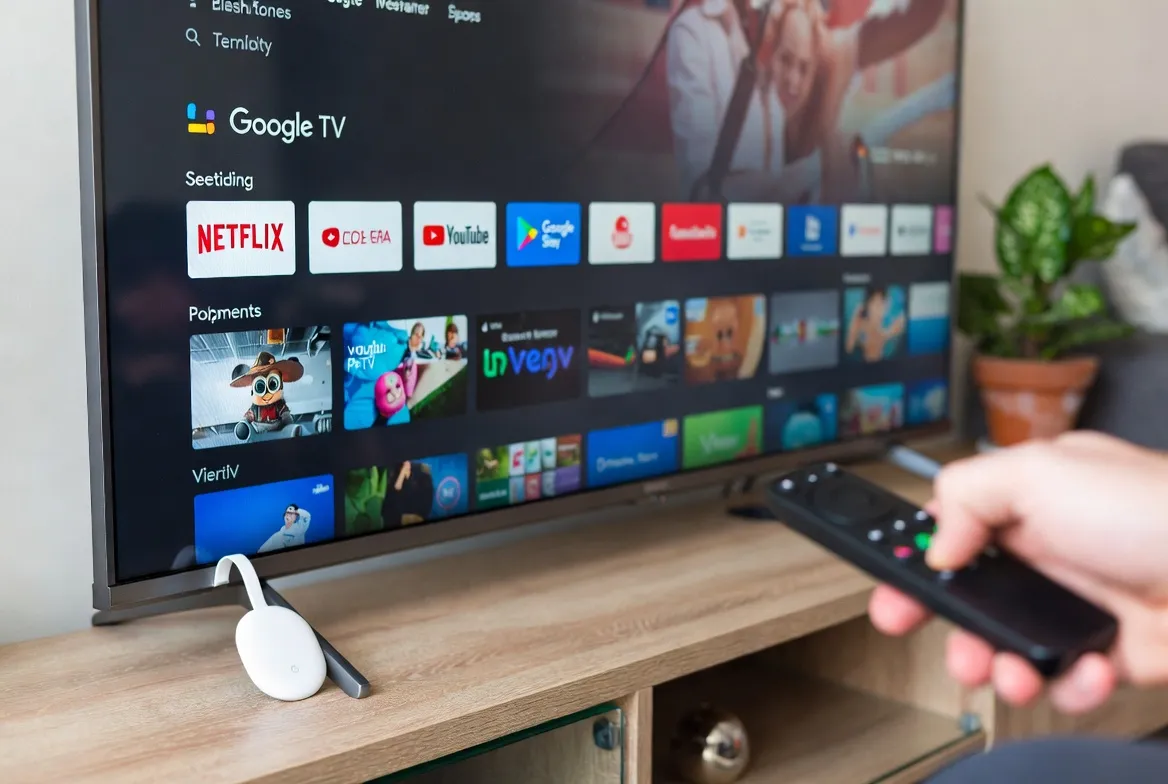
Your Chromecast with Google TV is more than a streaming stick—it's a gateway to 20,000+ live TV channels. Learn how to set up IPTV on Chromecast in under 3 minutes and transform any TV into a smart entertainment hub.
Why Chromecast with Google TV for IPTV?
Google's latest Chromecast devices are the perfect match for IPTV streaming. Here's why millions are choosing Chromecast for their live TV needs:
- Under 3-minute setup: From unboxing to watching live TV faster than brewing coffee
- Voice control built-in: "Hey Google, watch ESPN"—no remote navigation needed
- 4K HDR support: Crystal-clear picture quality on Chromecast with Google TV (4K)
- Google Play Store access: Official IPTV apps available for download
- Affordable hardware: Chromecast starts at just $11.88—cheaper than Fire Stick
What You Need to Get Started
Before setting up IPTV on Google TV, gather these essentials for a smooth installation:
Required Items Checklist
Chromecast with Google TV
HD or 4K version (4K recommended)
Stable Internet
25+ Mbps for 4K streaming
HDMI Port
Any TV with HDMI (HDCP compatible)
StreamTV IPTV Account
M3U URL & EPG credentials
Step-by-Step: IPTV Setup on Chromecast (3 Minutes)
Follow this exact process to get IPTV on Chromecast with Google TV running in under 3 minutes:
Connect Your Chromecast (30 seconds)
Plug Chromecast into your TV's HDMI port. Connect the power cable. Turn on your TV and select the correct HDMI input. The Chromecast welcome screen should appear.
Connect to Wi-Fi (45 seconds)
Use the included remote to navigate to Settings → Network & Internet → Wi-Fi. Select your network and enter your password. Wait for the connection check to complete.
Install IPTV App (60 seconds)
Press the Google Assistant button on your remote and say "Search for IPTV Smarters Pro" or "Search for TiviMate". Select the app from results and click Install. Wait for the download to complete.
Enter Your IPTV Credentials (30 seconds)
Open the IPTV app → Add Playlist → Load Your Playlist or File/URL. Enter your StreamTV M3U URL (from your welcome email). The app will verify and load your 20,000+ channels.
Start Watching (15 seconds)
Browse the channel categories—Live TV, Sports, Movies, News, International. Select any channel and enjoy instant streaming. Total setup time: Under 3 minutes!
Pro Tip: Enable "Apps from Unknown Sources" in Settings → System → Developer Options if you need to sideload alternative IPTV players. However, IPTV Smarters and TiviMate are available officially on Google Play Store.
Best IPTV Apps for Google TV (Official Play Store)
These apps are officially available on the Google Play Store for Chromecast with Google TV—no sideloading required:
IPTV Smarters Pro
Most popular choice. Clean interface, EPG support, VOD section, and parental controls. Free with ads or paid version available.
⭐ 4.5/5 • Free
TiviMate
Premium experience with modern UI. Multiple playlist support, scheduled recording, and advanced EPG. Best for power users.
⭐ 4.7/5 • $11.88/year
Perfect Player
Lightweight and fast. Excellent for older Chromecast HD models. Simple interface with scalable OSD.
⭐ 4.3/5 • Free
Chromecast 4K vs HD: Which for IPTV?
Google offers two Chromecast with Google TV models. Here's which one is best for IPTV streaming:
| Feature | Chromecast HD | Chromecast 4K |
|---|---|---|
| Price | $11.88 | $11.88 |
| Max Resolution | 1080p | 4K UHD |
| HDR Support | HDR10, HDR10+ | HDR10, HDR10+, Dolby Vision |
| Storage | 8GB | 8GB |
| Best For IPTV? | ✓ Good for secondary TVs | ✓ Best for main TV |
Our recommendation: Get the Chromecast 4K for your main living room TV to enjoy 4K sports and movies. The HD version works great for bedrooms or guest rooms where 1080p is sufficient. Both handle IPTV streaming flawlessly.
Voice Control: "Hey Google, Watch ESPN"
One of the best features of Google TV IPTV is hands-free control. Here's how to use voice commands:
Useful Voice Commands for IPTV
Chromecast IPTV vs Cable: Save $1,400+/Year
Cut the cord completely with Chromecast + IPTV. Here's the cost breakdown:
Hardware Cost
$11.88
One-time (Chromecast 4K)
IPTV Monthly
$11.88
20,000+ channels
Annual Savings vs Cable
$1,400+
Compared to $130/mo cable
Troubleshooting Common Chromecast IPTV Issues
Buffering or freezing?
Check your Wi-Fi signal strength in Settings → Network. Move your router closer or use 5GHz band. Restart Chromecast by unplugging for 10 seconds.
App not loading channels?
Verify your M3U URL is correct. Check for typos in your playlist URL. Try updating the playlist in app settings.
Remote not working?
Pair the remote: Hold Back + Home buttons for 3 seconds. Or use the Google Home app on your phone as a remote.
Stream on Chromecast in 3 Minutes
Transform any TV with an HDMI port into a smart streaming powerhouse. Get your StreamTV credentials and start watching 20,000+ channels on your Chromecast today.
Get Free 24-Hour Trial →Frequently Asked Questions
Can I cast IPTV from my phone to Chromecast?
Yes! Use the Cast button in your IPTV app on Android or iPhone. However, we recommend installing the IPTV app directly on Chromecast with Google TV for the best experience.
Does Chromecast with Google TV need a phone to work?
No—the new Chromecast with Google TV is standalone. It comes with its own remote and runs Android TV OS. No phone required after initial setup.
Is 4K IPTV streaming smooth on Chromecast?
Absolutely. Chromecast 4K has a powerful processor that handles 4K HDR IPTV streams flawlessly. Ensure you have 25+ Mbps internet for best results.
Can I use Chromecast on any TV?
Any TV with an HDMI port works—smart or not. Chromecast turns any HDMI-equipped TV into a smart TV with 20,000+ IPTV channels.
Ready to cut the cord? Start your 24-hour free trial and transform your Chromecast into the ultimate entertainment hub. Under 3-minute setup, no technical skills needed, instant access to live TV worldwide.